Cut faster. Ship cleaner. Spend less time on the parts that aren't editing.
Filmit.io is a plugin and workflow suite built for full-time video editors working in After Effects, Premiere Pro, DaVinci Resolve, or Final Cut Pro. We're agnostic to your NLE, so the tools follow you wherever you cut.
The Editor's Tax
The work nobody pays you to do
Clients pay for the cut. They don't pay for the two hours of project setup, the manual title duplication, the comp renaming, or the search through Giphy looking for "the right reaction shot." Filmit reclaims those hours.
Project setup eats half a day
Folder structures, bin templates, naming conventions, color label schemes — every new edit starts the same way and you do it from scratch every time.
Organizer pre-builds your standard project layout in one click
Lower thirds and titles, again
Same client. Same template. Twelve speakers in the interview. You're going to retype every name and title manually unless something stops you.
TextPilot batch-applies and edits text across hundreds of layers
Removing dead air and pauses
Talking head edits buried under "umms," breath gaps, and dead silence. Manually scrubbing each one is the most expensive minutes of your week.
JumpCut auto-detects pauses in Premiere and slices them out
Reference GIFs, on-platform
You need that one Office reaction GIF for a YouTube edit. Now you're tabbing between Giphy, downloading, dragging, missing the right frame.
GIFer searches Giphy in-panel and drops clean clips on the timeline
The heavy hitters
The plugins editors reach for first
Six tools that carry the edit, from first assembly to final polish. Play each demo to see it work, then click through for the full breakdown.
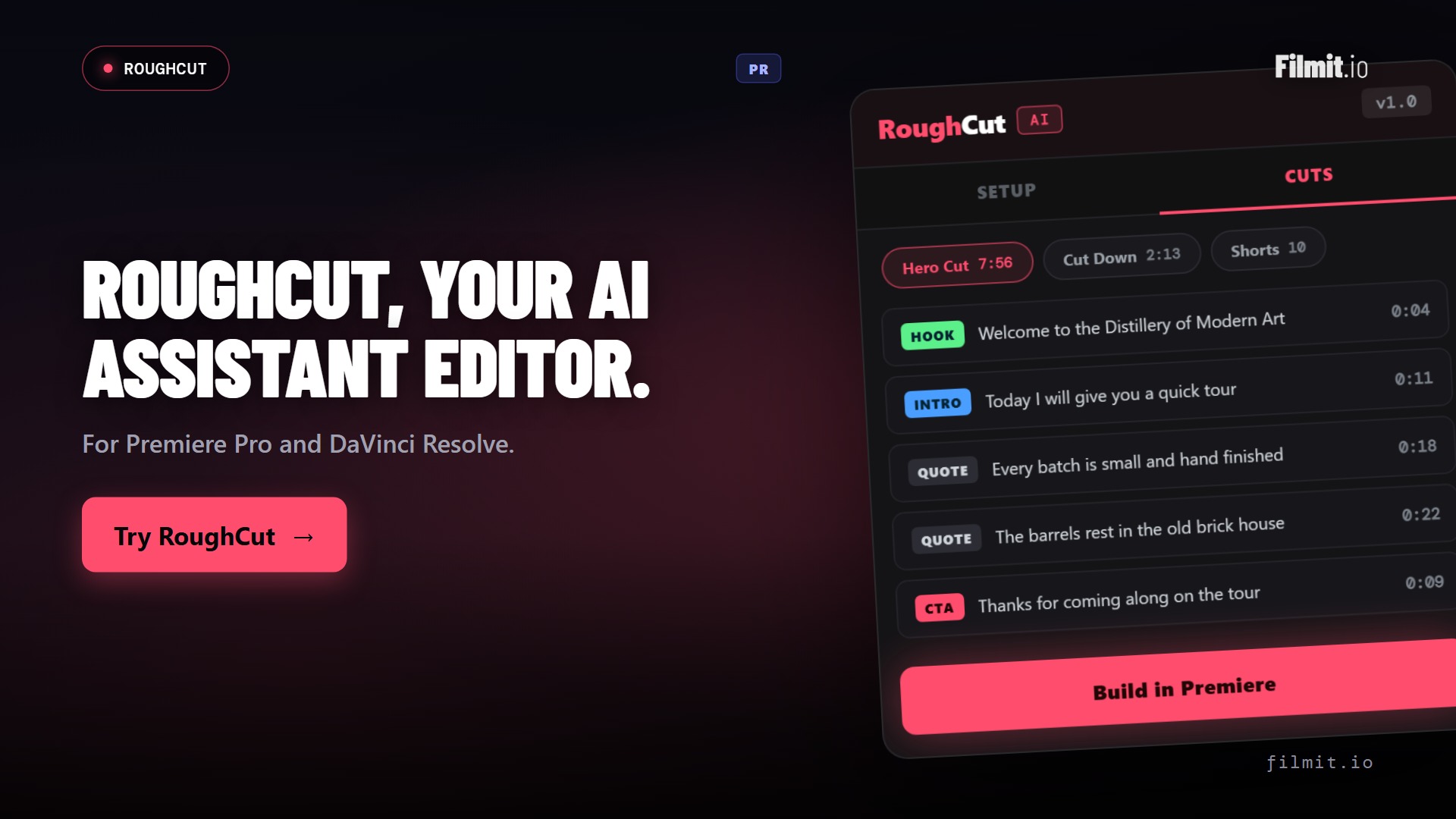
RoughCut Pr · Resolve
It builds the rough cut, so you don't have to
RoughCut transcribes every source on your machine, uses AI to pick and order the strongest quotes into a story, and builds a live, multi-source sequence you keep editing. Interviews, docs, talking-head, gaming, it doesn't matter what the footage is. Think of it as your assistant editor.
- Local transcription — your footage never leaves your computer
- AI orders the strongest soundbites into a hero cut, cut-downs, and shorts in one pass
- Builds a real, editable sequence you keep cutting in Premiere Pro or DaVinci Resolve
- Bring your own Anthropic or OpenAI key, or use the free built-in token that runs on free Claude or ChatGPT
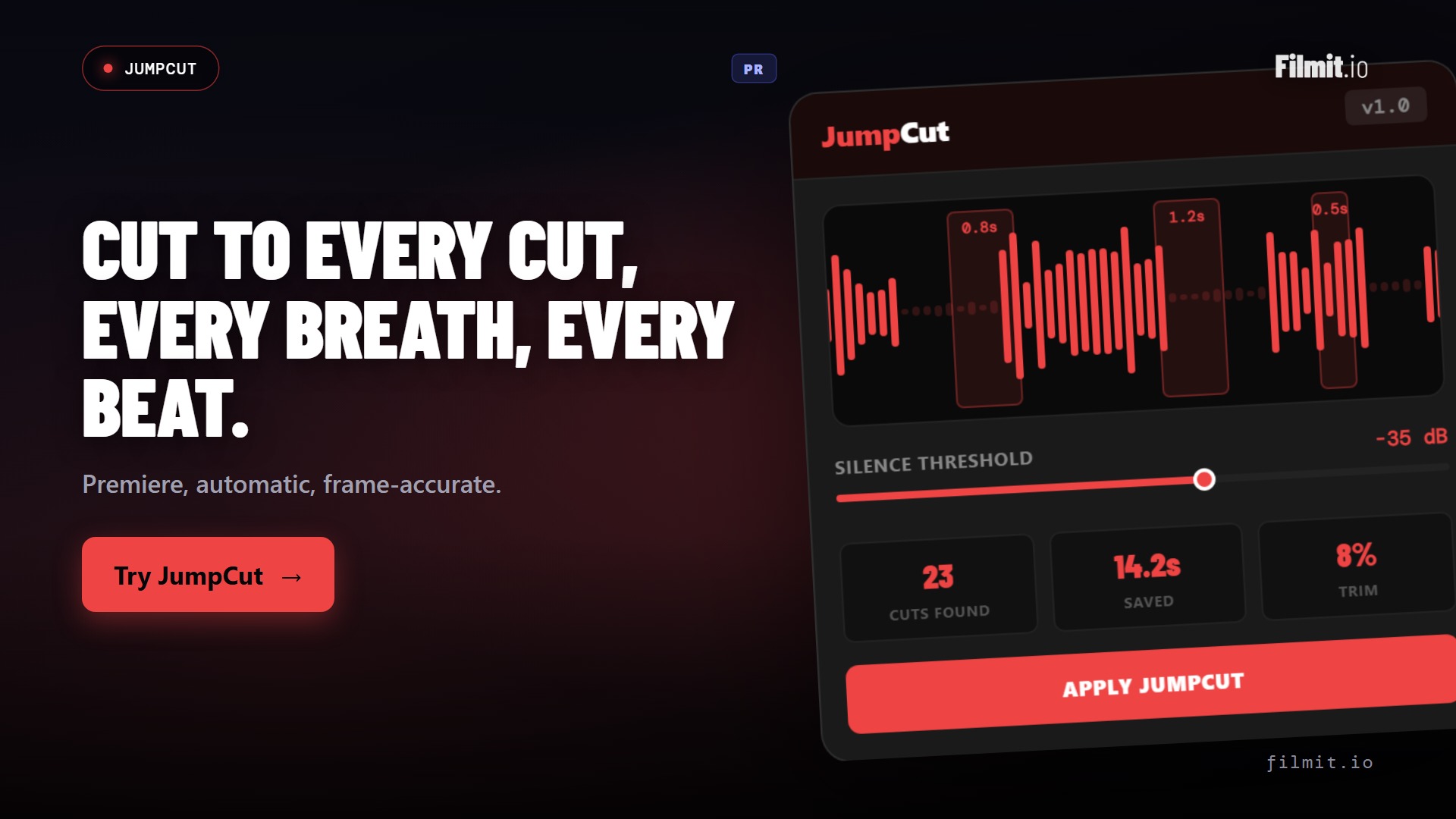
JumpCut Pr · Resolve
Kill the dead air without scrubbing for it
JumpCut listens through your Premiere Pro or DaVinci Resolve timeline, finds every silence, breath, and awkward pause, and slices them out in a single pass. A twelve-hour talking-head dump collapses into a tight rough cut while you get a coffee.
- Auto-detects silences, breaths, and umms across the whole sequence
- Tune the threshold and padding so cuts breathe the way you want
- Turns hours of raw footage into a lean assembly in minutes
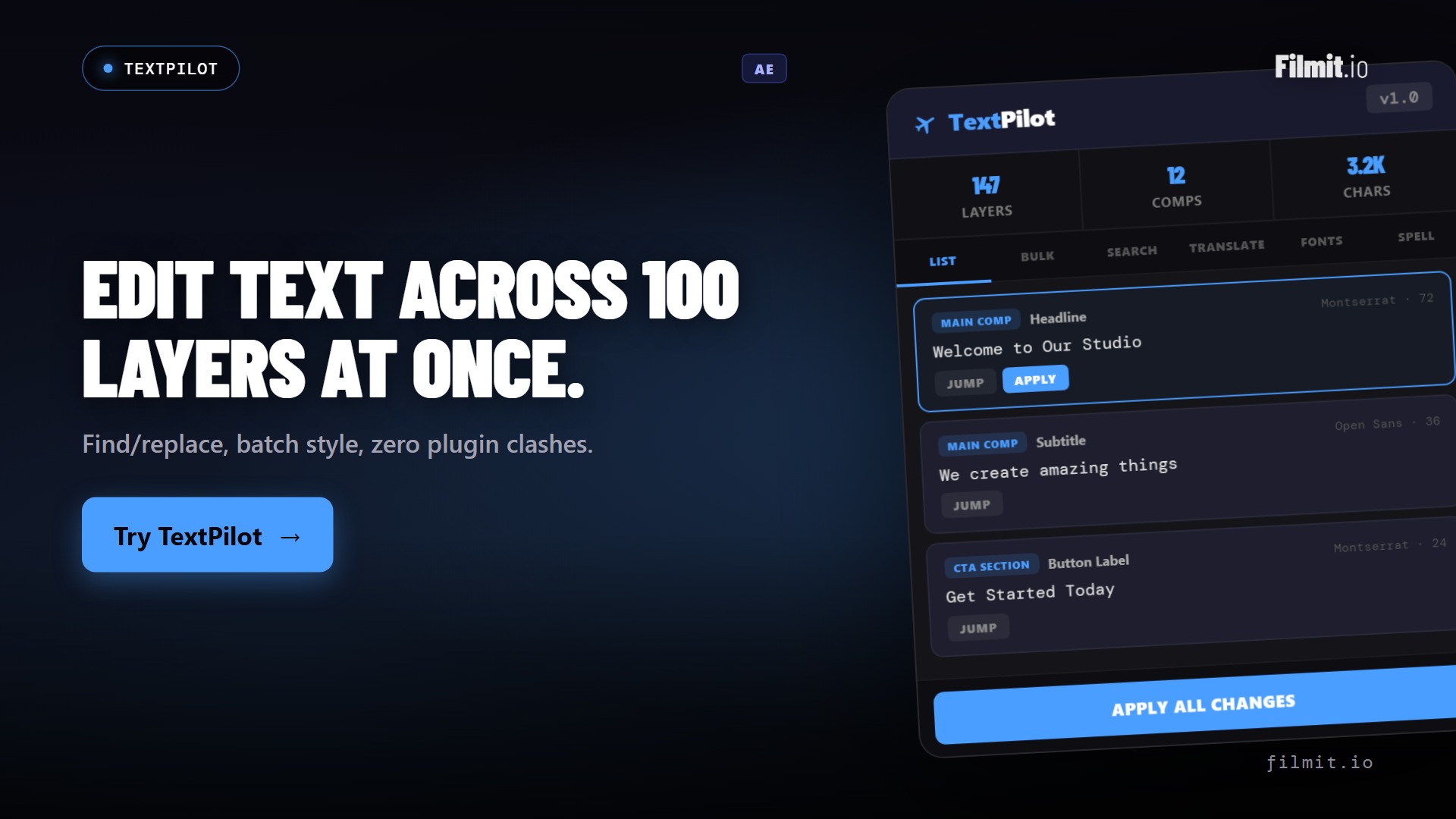
TextPilot Ae · Pr
Edit text across hundreds of layers without touching one
Scan every text layer in a project, then batch edit, translate, spell-check, and find-and-replace across all of them at once. Twelve speaker cards, a full set of lower thirds, a multi-language export, done in a single pass.
- Scan and edit every text layer in the project from one panel
- Batch translate and spell-check across languages in seconds
- Works in both After Effects and Premiere Pro
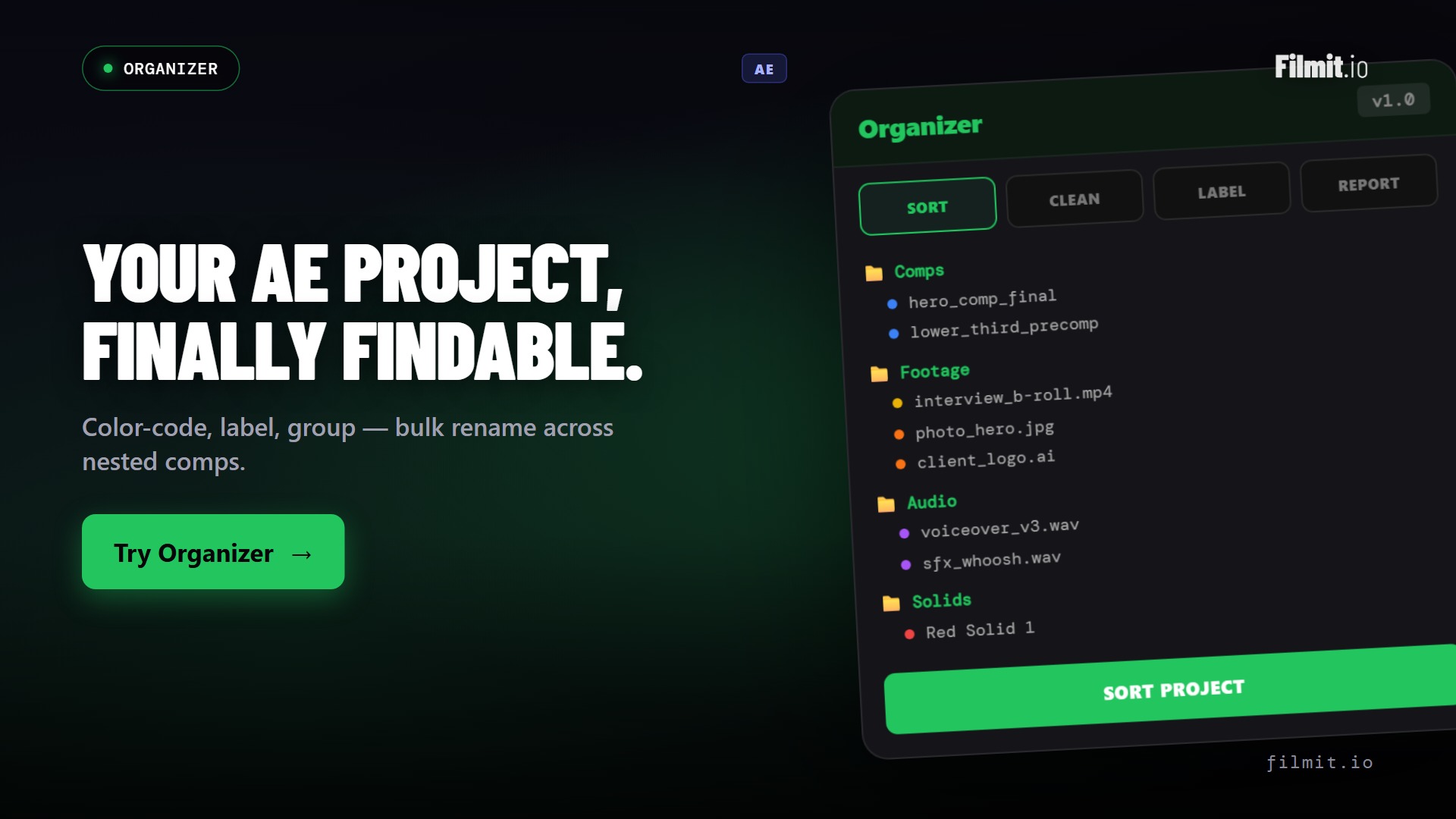
Organizer Ae · Pr
Every new project, structured in one click
Stop rebuilding the same folder tree, bin layout, and naming scheme from scratch. Organizer scaffolds your standard project structure instantly, renames and sorts in bulk, and finds duplicates so any project stays searchable.
- One-click folder and bin structure for every new edit
- Bulk rename, sort, and colour-label to your convention
- Find duplicates and dead items to keep projects lean, in AE and Premiere
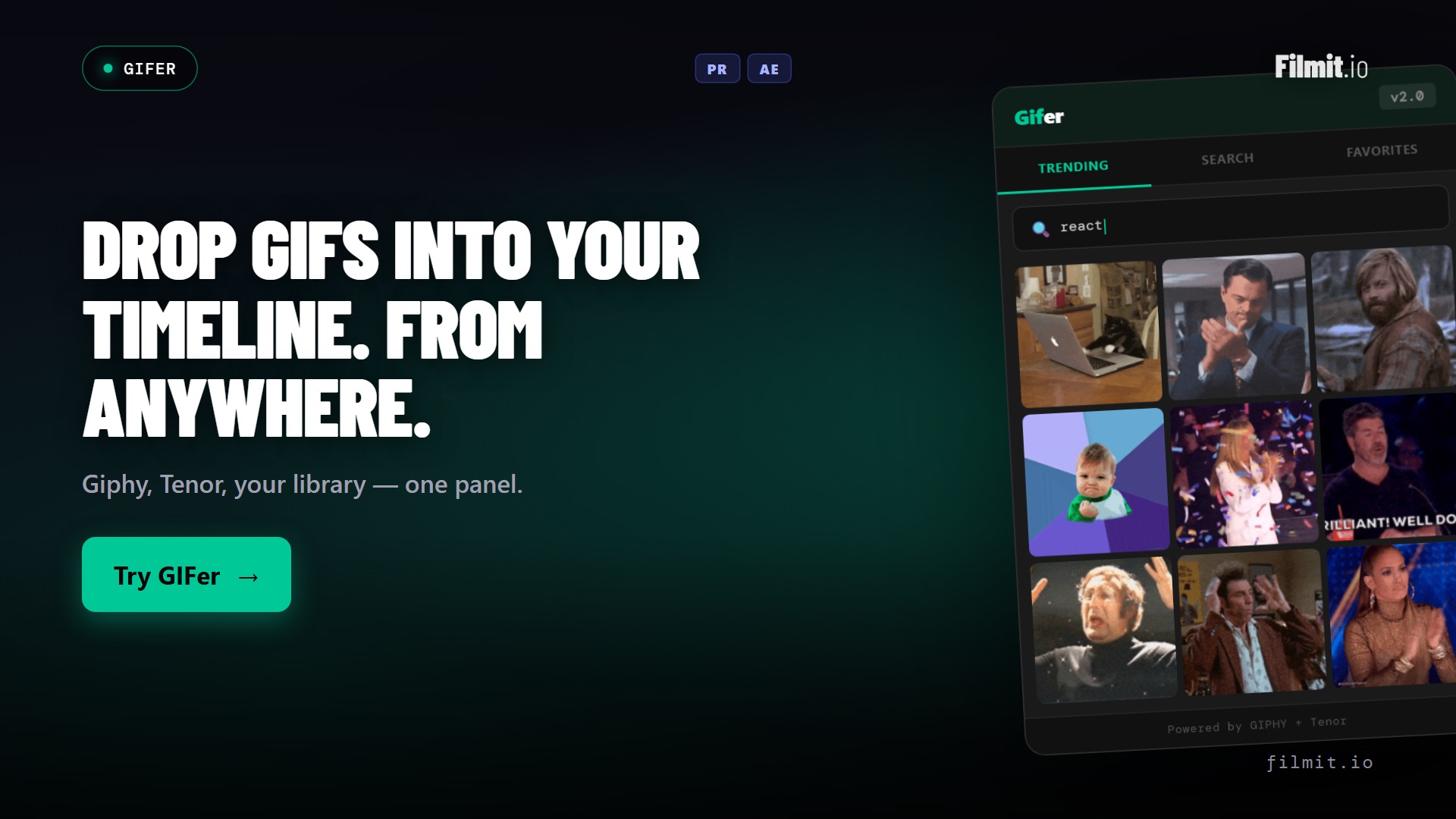
GIFer Pr · Ae · Resolve
Reaction GIFs are the fun part. Keep it that way.
Search Giphy from inside your editor and drag the perfect reaction straight onto the timeline as clean, ready-to-use footage. No browser tab, no download folder, no hunting for the right frame. Just the joke, landed.
- Browse and search Giphy in-panel, right where you're cutting
- Drop GIFs onto the timeline as clean clips, not messy web files
- Perfect for YouTube edits, socials, and anything that needs a punchline
Sourcer Ae · Pr · Resolve
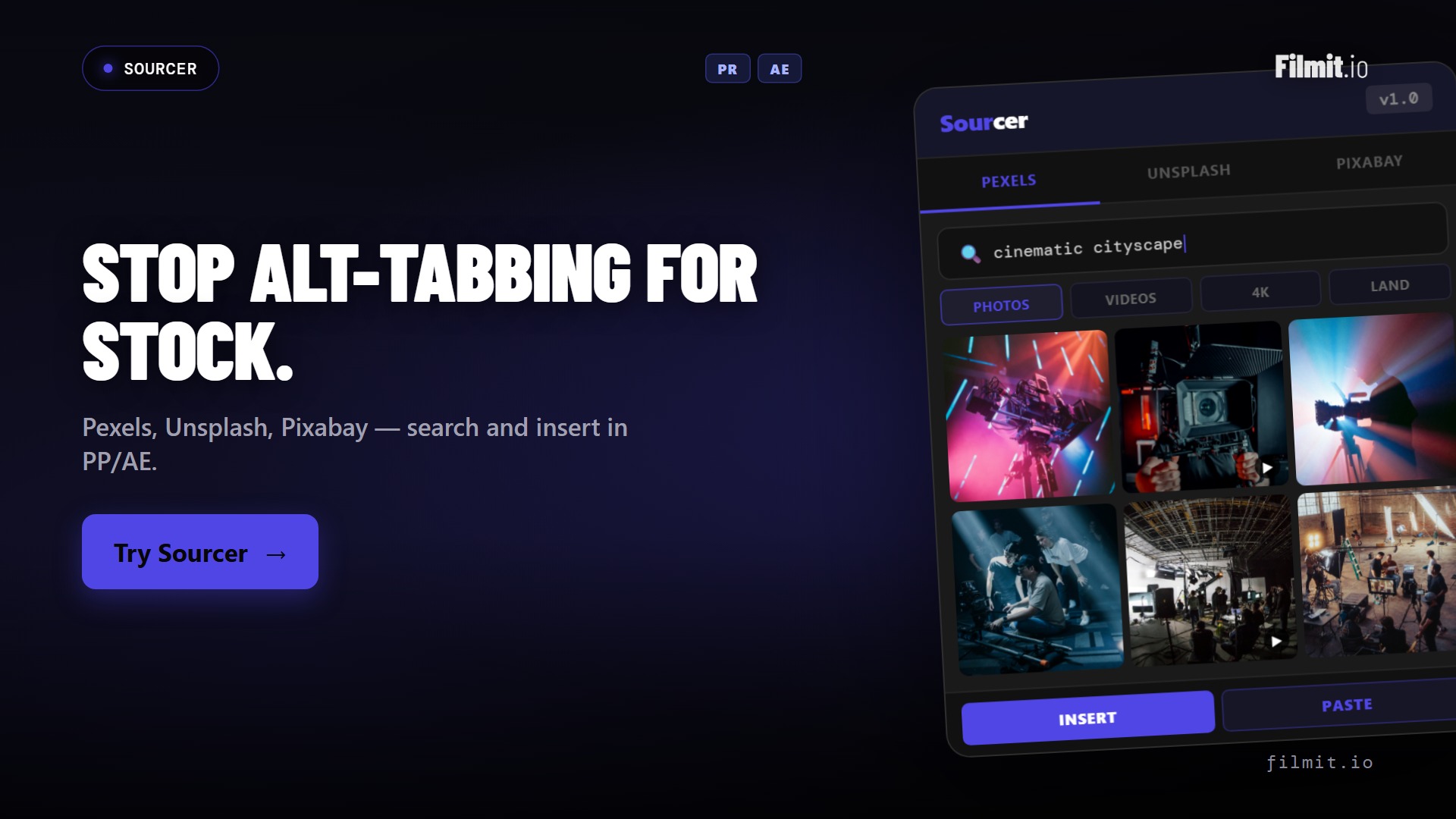
B-roll and stock, without leaving the timeline
Browse and import stock footage and photos from Pexels, Unsplash, and Pixabay right inside your editor. Find the cutaway, preview it, and pull it into the project without a single browser detour.
- Search Pexels, Unsplash, and Pixabay from one in-app panel
- Preview and import footage and photos straight into your project
- Keeps you in the edit instead of drowning in download folders
Where each tool fits
Same suite, different jobs
The editing tools don't overlap. Each one owns a specific part of the cut, so you always know which to reach for.
| Tool | The job it does | Reach for it when | Runs in |
|---|---|---|---|
| RoughCut | Turns transcribed footage into an assembled, editable story sequence | You're staring at hours of interviews and need a first cut | PrResolve |
| JumpCut | Auto-detects and removes silences, breaths, and dead air | A talking-head take is buried under pauses and umms | PrResolve |
| TextPilot | Batch edits, translates, and replaces text across every layer | You have dozens of titles, name cards, or a translation pass | AePr |
| Organizer | Scaffolds project structure, bulk-renames, finds duplicates | A new project starts, or an old one is a mess | AePr |
| GIFer | Searches Giphy in-panel, drops clean clips on the timeline | You need a reaction GIF or cutaway without leaving the edit | PrAeResolve |
| Sourcer | Browses and imports stock footage and photos from within the app | You want B-roll from Pexels, Unsplash, or Pixabay in-panel | AePrResolve |
| Reducer | Strips unused items and dead comps before export or archive | The project file is bloated and you're wrapping up | Ae |
Built for the cut
The plugins editors live in
Every Filmit subscriber gets every tool. No add-on pricing, no plugin marketplace to navigate. Click into any one to see how it works.
RoughCut
Pr · ResolveTranscribe locally, let AI order the best quotes, and build an editable rough cut from interview footage.
Organizer
Ae · PrRename, sort, find duplicates, build folder structures. Make any project searchable.
TextPilot
Ae · PrScan, edit, search and replace text across hundreds of layers without touching a single one.
JumpCut
Pr · ResolveAuto-detect silences, breaths, and pauses in Premiere Pro and DaVinci Resolve. Cut them out in one pass.
GIFer
Pr · Ae · ResolveBrowse Giphy from inside your editor. Drag clean GIFs straight to the timeline as MP4.
Reducer
AeCleanup tool for After Effects. Delete unused items, find dead comps, simplify big projects. Premiere support coming soon.
CallOuts
AePath-based annotation lines and labels. Perfect for tutorials, explainers, product demos.
ProXimity
AeDistance-based effect triggers and animation triggers between layers.
Sourcer
Ae · Pr · ResolveBrowse and import stock footage and photos from Pexels, Unsplash, and Pixabay without leaving your editor.
Beyond the panels
We don't stop at plugins
Your subscription also unlocks a growing library of 45+ native GPU effects and transitions, looks and moves you drop straight onto a clip in After Effects, Premiere Pro, or DaVinci Resolve. And the library keeps growing, because we build from real feedback. Message us anytime on Discord or through our contact form, tell us what you need, and we will literally build it. We're building for editors like you.
A typical edit, with Filmit
From new project to first cut, faster
Here's what the first hour of an interview edit looks like once Filmit is wired into your Adobe install.
Open Filmit Studio
All your installed plugins are up to date automatically. No version mismatches, no "did you reinstall after the AE update."
Project bins build themselves
Organizer scaffolds your standard folder layout. Footage, audio, comps, exports, archive. Done in seconds.
JumpCut handles the silences
Drop the interview into Premiere, run JumpCut, and watch the dead air collapse. Twelve hours of footage to four-hour rough cut in minutes.
Titles in batch
TextPilot reads from a list and applies all twelve speaker name cards in one shot. No more layer-by-layer typing.
B-roll without tabs
Need a reaction GIF or a stock cutaway? GIFer and Sourcer pull them in from inside the editor, no browser detour.
Reducer at the end
Pre-export cleanup. Strip unused items so the project file is small, the archive is clean, and next month's editor doesn't curse you.
Why we built this
Made by editors, for editors
A note from the team
Filmit.io is a mission-driven indie studio, and the team has been editing video for over a decade.
Every plugin in the suite started as a script we wrote for ourselves, because the existing options were too expensive, too clunky, or charged twenty-nine dollars for what should have been a checkbox.
A portion of every subscription goes back into funding emerging editors and content creators, through grants, paid contributor work, and the open course library at filmit.io/courses.
So the tools you cut with tomorrow help fund the editors coming up behind you.
By the numbers
One subscription, the whole toolbox
No per-plugin pricing, no marketplace to navigate. Everything below is included the moment you subscribe.
FAQ
Questions editors ask
The things people want to know before they wire Filmit into their edit.
Filmit is NLE-agnostic. Depending on the tool, you're covered in After Effects, Premiere Pro, DaVinci Resolve, and Final Cut Pro, on both Mac and Windows. RoughCut and JumpCut run in Premiere Pro and DaVinci Resolve; TextPilot and Organizer across After Effects and Premiere Pro; GIFer and Sourcer across After Effects, Premiere Pro, and DaVinci Resolve. Every tool page lists its supported hosts.
No. One Filmit Studio subscription at $20/month unlocks every plugin, effect, transition, and course, plus every tool we ship in the future. There's no per-plugin pricing and no add-ons to manage.
No. RoughCut has a free path that runs on free ChatGPT or Claude with a built-in token, so there's no key and no cost. If you'd rather have one-click analysis, add your own Anthropic or OpenAI key and pay the provider directly at cost. Either way, transcription always happens locally on your machine.
Filmit Studio is a desktop app that installs, manages, and updates every tool for you. No manual ZXP wrangling, no version mismatches after an Adobe update. Open Studio, click install, and the panels show up in your editor.
Yes. Start with a 7-day free trial of Filmit Studio and use the entire suite. Cancel anytime before the trial ends and you won't be charged.
Anytime, in a couple of clicks. There's no lock-in and no contract. Your subscription simply stops renewing.
Get every editing tool for $20/month
One subscription. Studio desktop app. All current plugins, every future one. Cancel anytime.