🌍
Localization
Translate your project to multiple languages, save each version, and switch between them without duplicating files.
Edit, translate, and spell check every piece of text in After Effects and Premiere Pro. MOGRTs, graphics, and captions included.
TextPilot comes with Filmit Studio, along with our whole suite of plugins, effects, transitions, overlays, and courses, plus everything new we ship. It's all included!
Watch the Demo
A full tour of editing, finding, replacing, translating, and spell-checking text across your whole After Effects project.
Demo coming soon
This one is live in the app today. We are recording its demo now.
Demo coming soon
This one is live in the app today. We are recording its demo now.
Three steps and you are up and running, with TextPilot and every other Filmit tool, right inside your editor today.
Sign up free at filmit.io. No card needed to look around.
Download the free desktop app for Mac or Windows. It manages every tool for you.
Start your 7-day trial and install TextPilot plus every other tool, straight into your editor.
After Effects has zero built-in spell checking. You're left to proofread every text layer one at a time, clicking through comps, hoping you didn't miss a typo.
Your project has 12 precomps nested 3 levels deep. Finding that one line of copy means diving through comp after comp until you track it down.
Client wants the same project in English, French, and Spanish? That's 3x the manual work. Change every layer, save a copy, change them again.
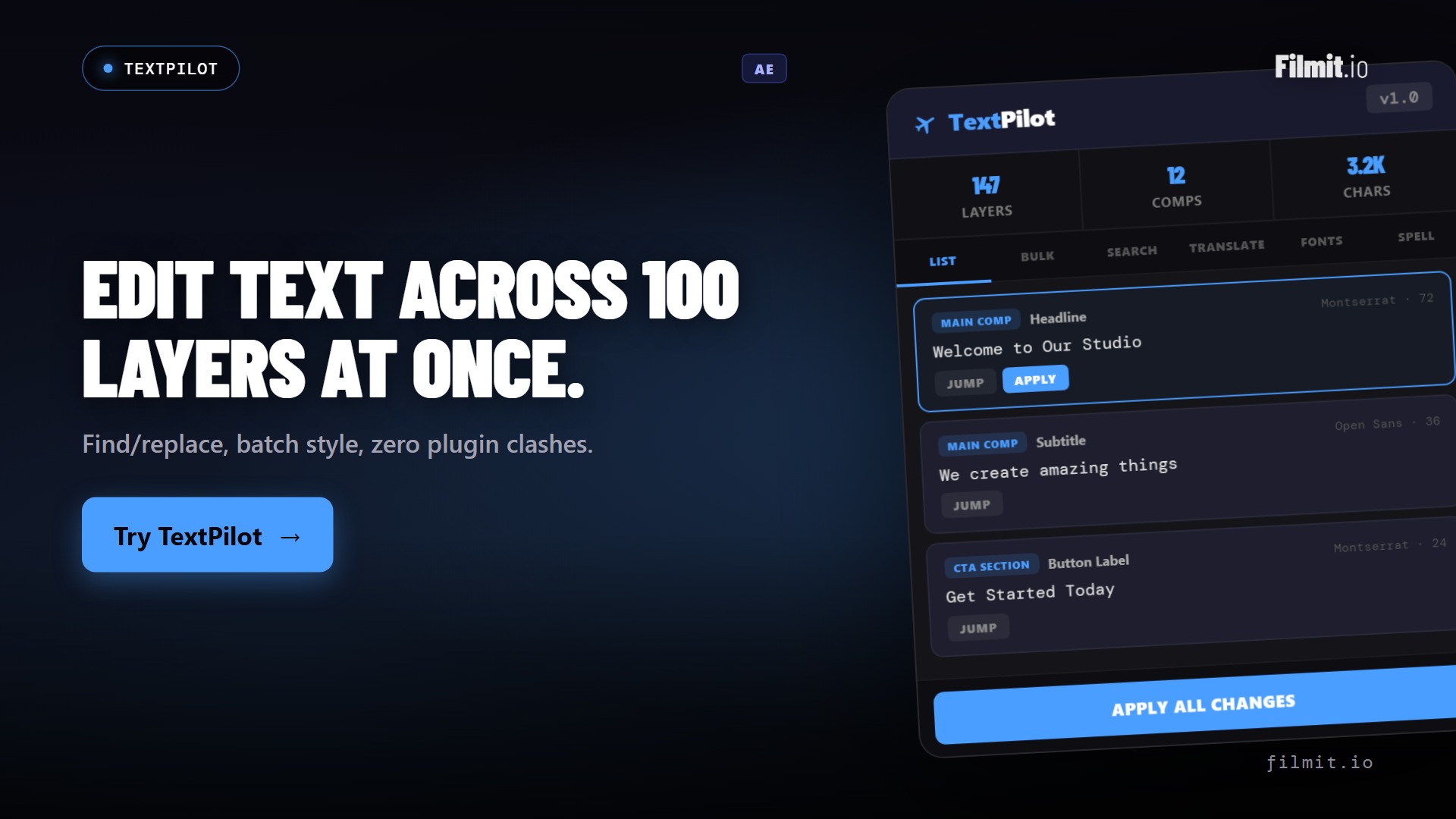
One click scans every text layer across all compositions, including deeply nested precomps. See layer count, comp count, and character count instantly.
Edit text directly in the panel. Each layer shows its composition, font, and size. Modified layers are highlighted and ready to apply back to AE.
Find and replace across all text layers at once. Plain text or regex for advanced pattern matching. Preview matches before committing.
Translate all layers to 100+ languages with one click. Preview translations and accept or reject each one before applying.
After Effects has no spell checker. TextPilot adds one with support for 50+ languages and suggested fixes.
See every font used in your project grouped by name. Replace a font across all matching layers in one action.
View all text fill and stroke colors with visual swatches. Replace any color globally with the built-in color picker.
Edit all text in one giant text area. Simple mode for quick edits, advanced mode with comp/layer markers for safe round-trips.
Export all text as a spreadsheet with one column per language. Send it to a client or translator, then import the edited file back with automatic layer matching.
Save text snapshots by language. Click "French" to load the French version, "Original" to revert. Versions persist across sessions.
Optional AI mode with OpenAI or Anthropic. Quick actions: Shorter, Punchier, Formal, Casual, or write any custom prompt.
Copy all text to clipboard. Paste structured text back in. Share text with teammates without file exchange.
One install covers both. TextPilot appears in After Effects and Premiere Pro from the same Filmit Studio install.
Select a target language, hit Translate All, and watch every text layer convert. Preview results before applying.
TextPilot scans every text layer and flags errors with suggested corrections you can apply in one click.
Inherited a project with 8 fonts and 15 colors? TextPilot groups text layers by font and color, so you can standardize in seconds.
Export every text element to Excel, CSV, or TXT with one column per language. Send it to a client or translator for review, get the edited file back, and import it. Every change lands on the right layer automatically.
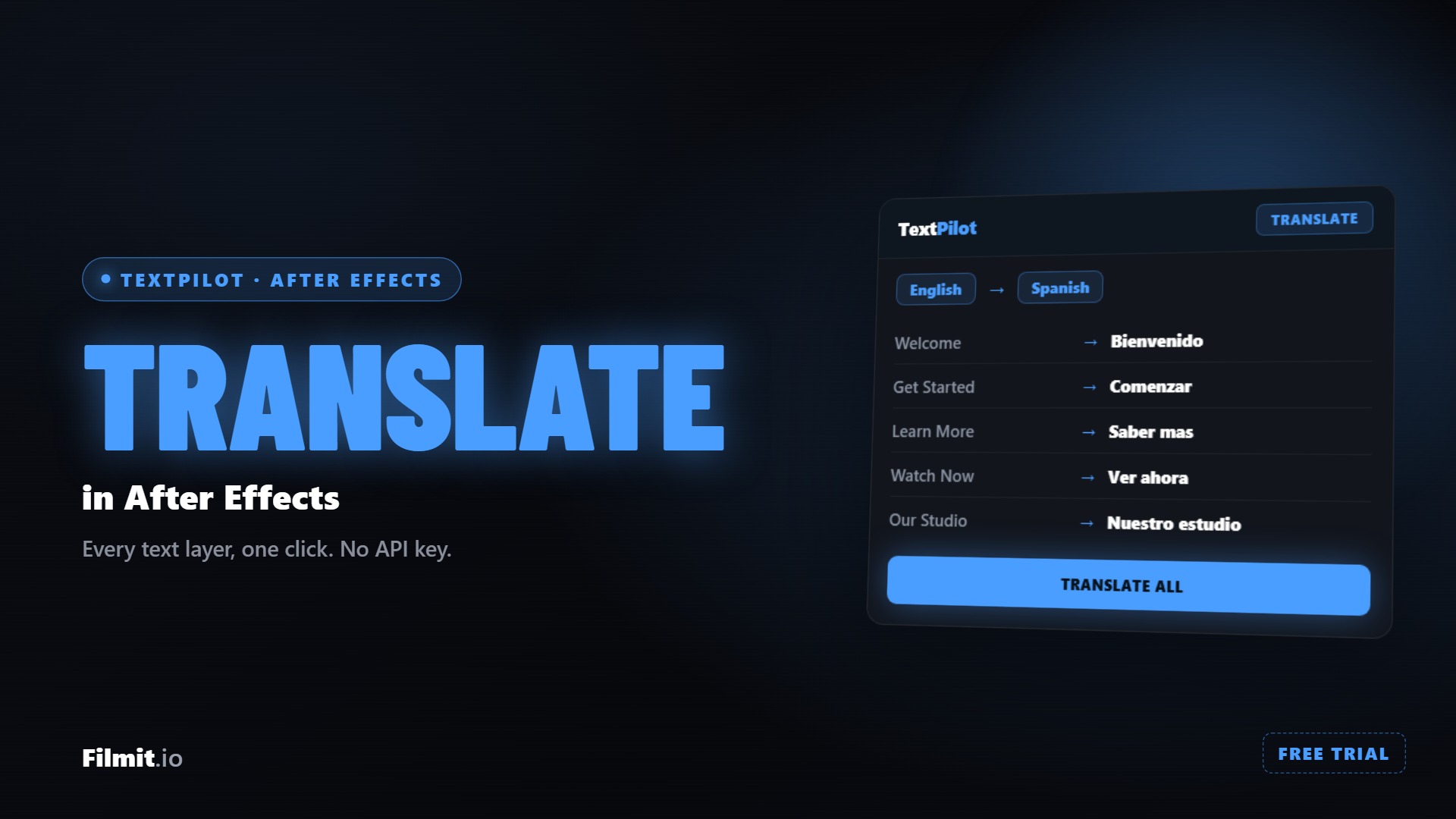
Scan your project, pick a language, and translate every text layer at once, with no API key and no per-use cost. TextPilot remembers each language so you can hot-swap between them later.
Read the full tutorial →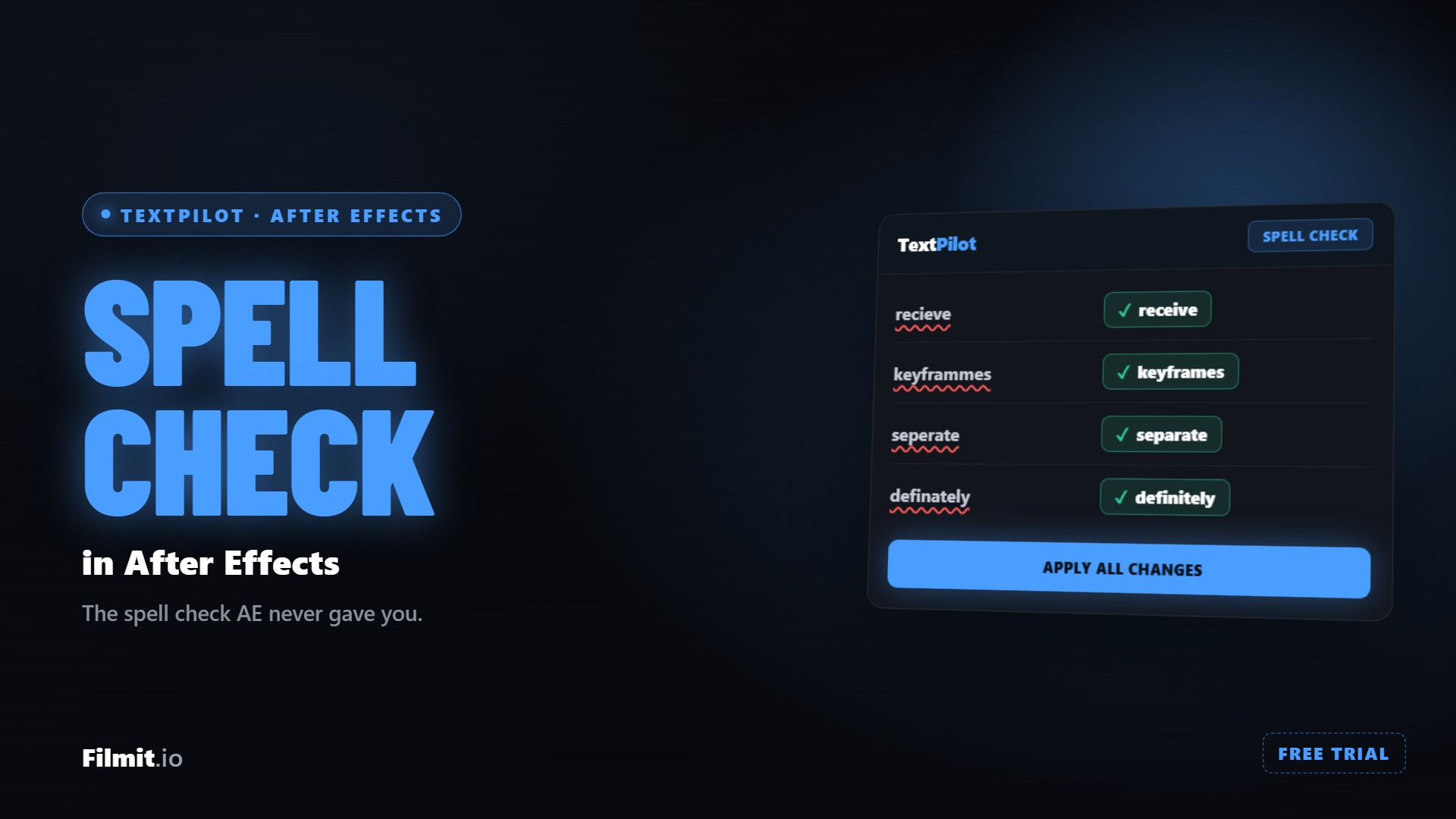
After Effects has no built-in spell check, so TextPilot adds one. Scan every text layer, review the flagged words, choose your fixes, and apply them all in a click.
Read the full tutorial →Translate your project to multiple languages, save each version, and switch between them without duplicating files.
Export all text to a .txt file, send to your copywriter, import the revised text back. Automatic matching does the work.
Manage dozens of name supers and lower thirds across an entire show. Find, edit, and replace any text instantly.
Install the Filmit Studio desktop app on Mac or Windows. It manages all your plugins.
Launch AE. TextPilot appears under Window → Extensions. Open the panel.
Click Scan Project. TextPilot finds every text layer across all compositions instantly.
Edit text, translate, spell check, replace fonts, then click Apply All Changes to write back to AE.
TextPilot integrates a spell checking engine that supports 50+ languages. It scans every text layer in your project, highlights misspelled words, and provides suggested corrections. Click a suggestion to fix the error instantly. You can also add words to a custom dictionary.
TextPilot uses the Google Translate API for translations, which provides solid results for most languages. For professional work, we recommend using translations as a starting point and having a native speaker review the output. You can edit any translation before applying it.
Yes. TextPilot supports both plain text search and full regex pattern matching. You can use capture groups, lookaheads, and other advanced regex features. Matches are highlighted across all layers so you can preview before replacing.
Yes. One install covers After Effects and Premiere Pro. In Premiere, TextPilot edits MOGRT text, native graphics text, and full caption tracks. Translate, spell check, find and replace, and AI tools all work on them.
Hit Scan and TextPilot lists every MOGRT, graphic, and caption in your project, with timecodes on the captions. Edit or translate anything in the panel and hit Apply. TextPilot automatically saves a backup of your project before applying, so your original work is always safe.
Yes. TextPilot works on both macOS and Windows, in After Effects and Premiere Pro (CC 2020 or later). Install it through the Filmit Studio desktop app.
Yes. Export every text layer to Excel, CSV, or TXT. The spreadsheet gets a column for each language version, so a client or native speaker can review every language side by side. Import the edited file back and TextPilot matches the text to the correct layers automatically.
Yes. TextPilot is included with your Filmit Studio subscription at $20/month. You get TextPilot plus every other Filmit tool, overlay pack, and course. No extra cost.