Everything Filmit does, inside Premiere Pro.
A full toolkit that lives in your Premiere timeline: AI rough cuts, automatic silence removal, batch text, project cleanup, in-panel GIFs and stock, plus native GPU effects and transitions. Installed and updated from one desktop app, on Mac and Windows.
Plugins for Premiere
The tools Premiere editors reach for first
Native panels that run right inside Premiere Pro. Play each demo to see it work, then click through for the full breakdown.
RoughCut Premiere Pro
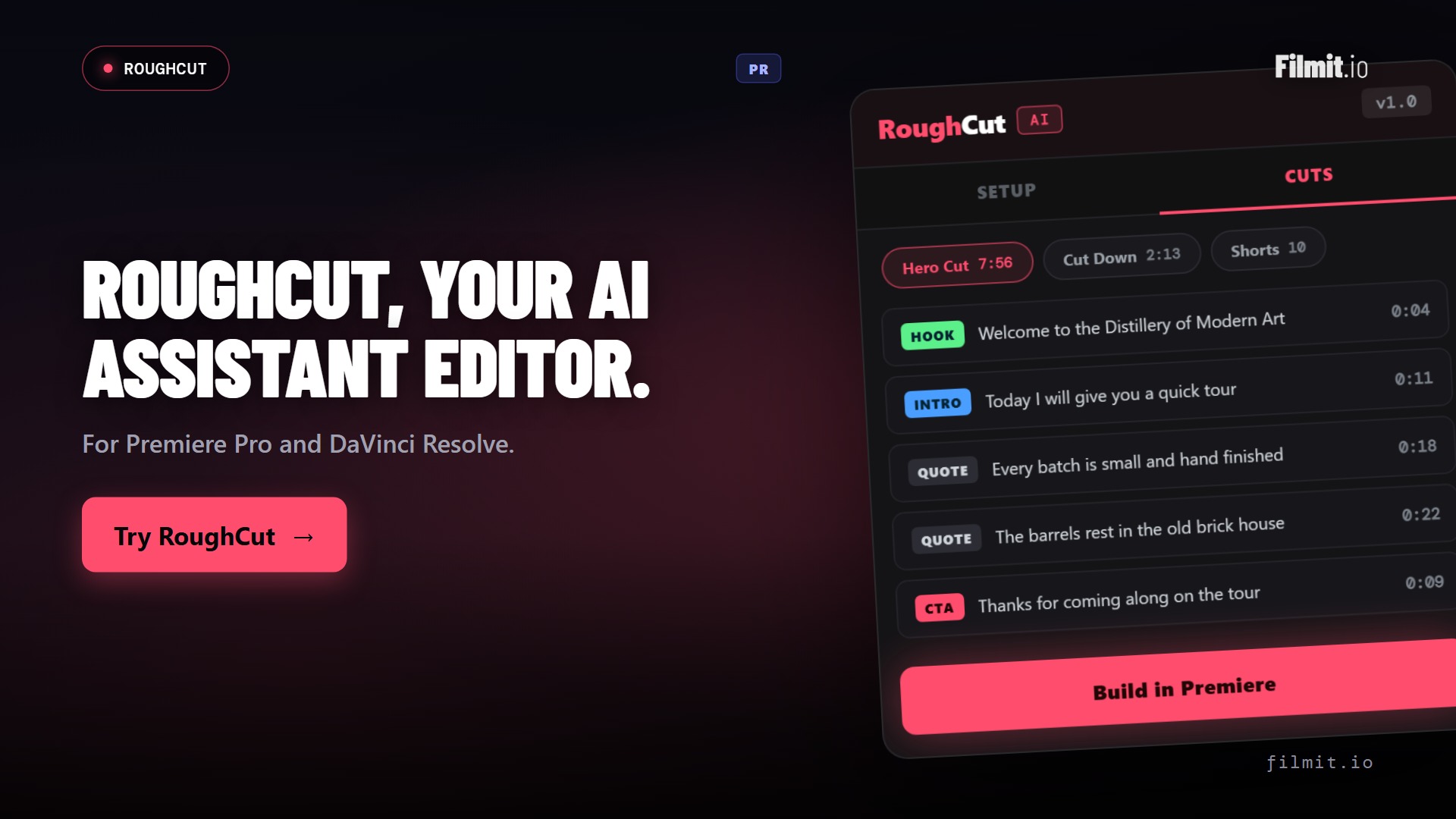
Hours of interview footage to a real rough cut
RoughCut transcribes every source on your machine, uses AI to order the strongest quotes into a story, and builds a live, editable multi-source sequence right in Premiere. It builds the rough cut, so you don't have to.
- Local transcription, footage never leaves your machine
- AI orders soundbites into a hero cut, cut-downs, and shorts
- Free built-in token, or bring your own Anthropic or OpenAI key
JumpCut Premiere Pro
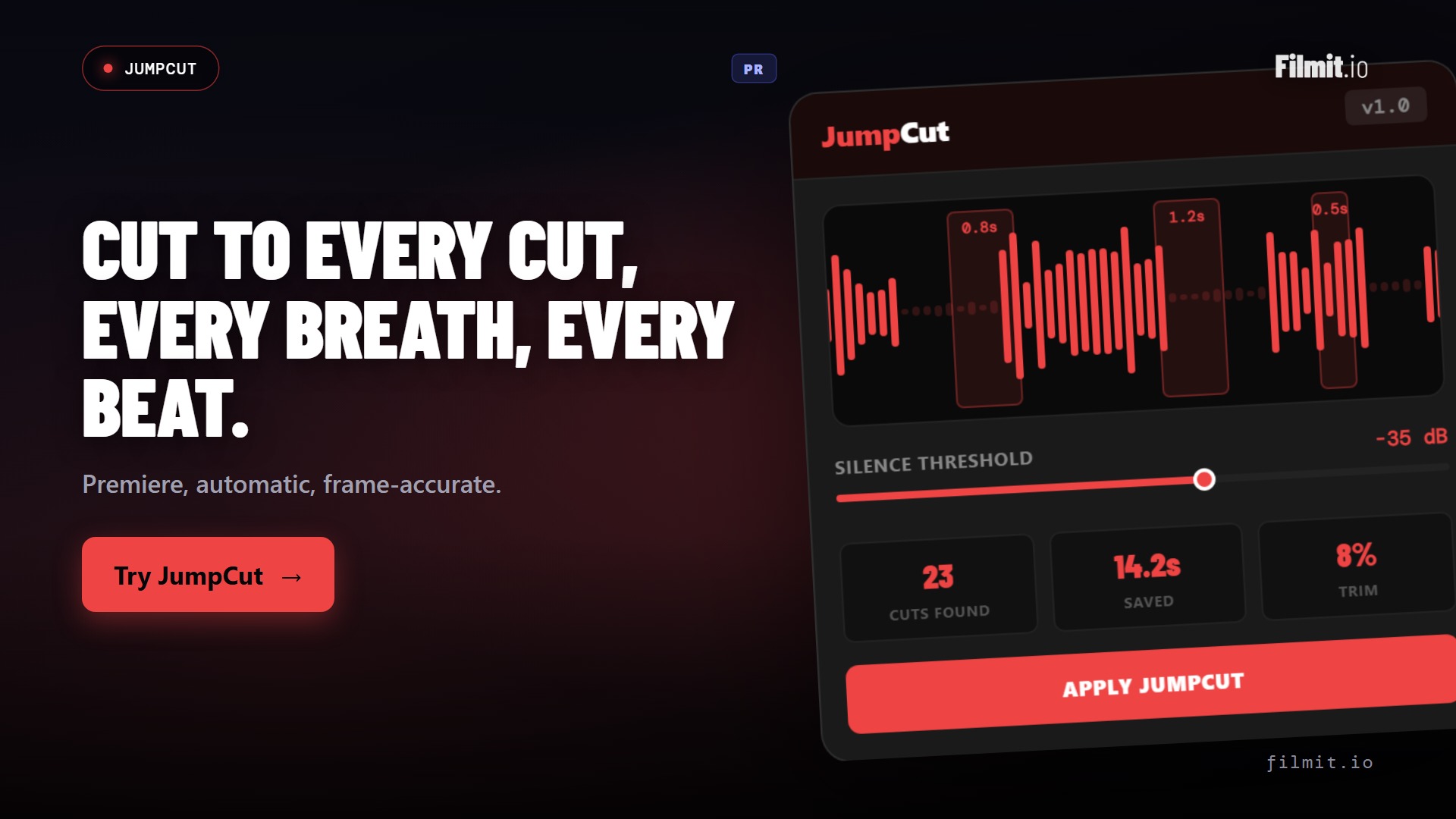
Kill the dead air without scrubbing for it
JumpCut listens through your Premiere timeline, finds every silence, breath, and pause, and slices them out in one pass. A long talking-head dump collapses into a tight assembly while you make coffee.
- Auto-detects silences, breaths, and umms across the sequence
- Tune the threshold and padding so cuts breathe right
- Hours of raw footage to a lean cut in minutes
TextPilot Premiere Pro · Ae
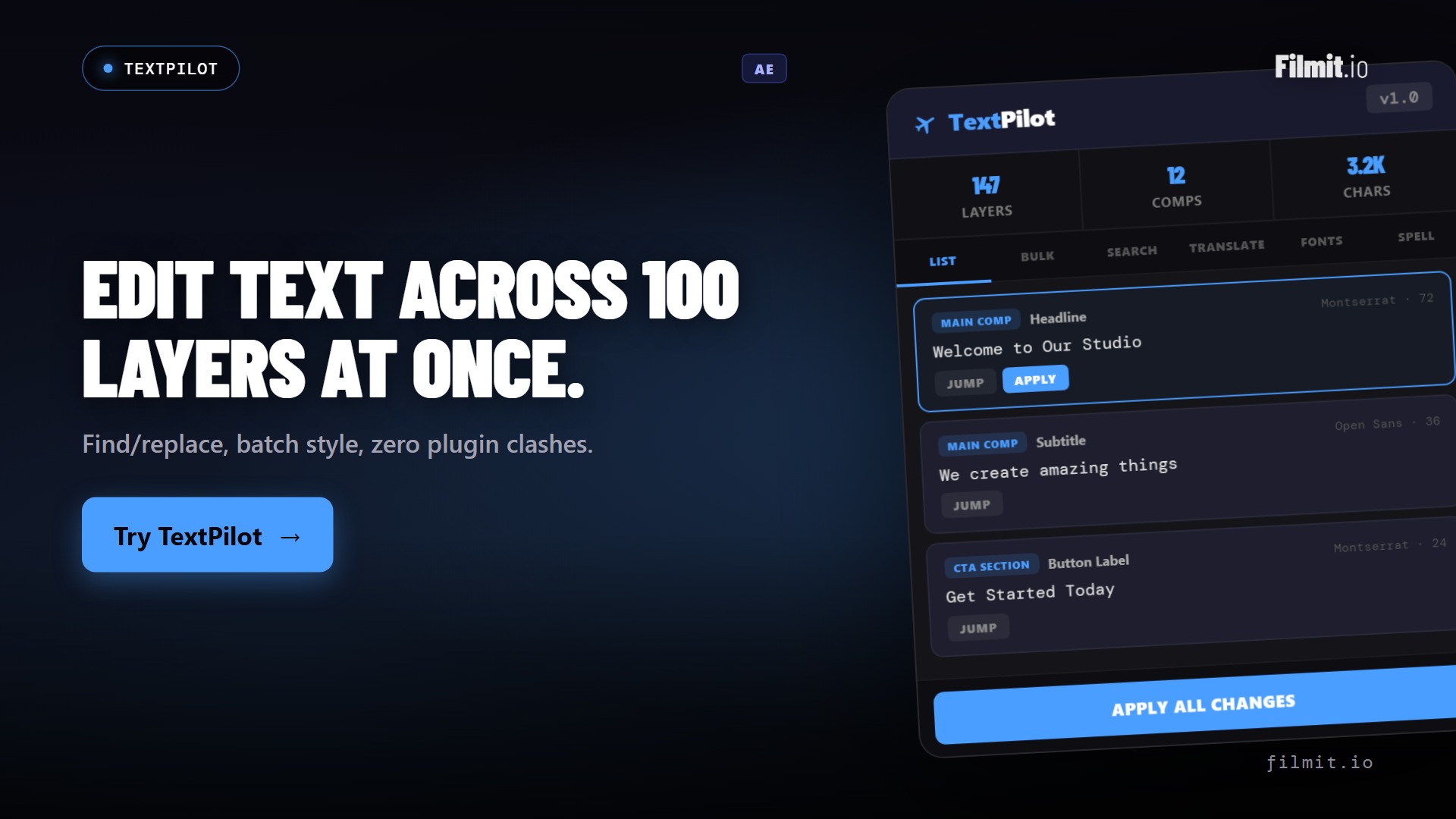
Edit and translate text across the whole project
Scan every text layer in a Premiere project, then batch edit, translate, and find-and-replace across all of them at once. A full set of lower thirds or a multi-language pass, done without touching each one by hand.
- Scan and edit every graphic and text layer from one panel
- Batch translate and spell-check across languages
- Works across Premiere Pro and After Effects
Organizer Premiere Pro · Ae
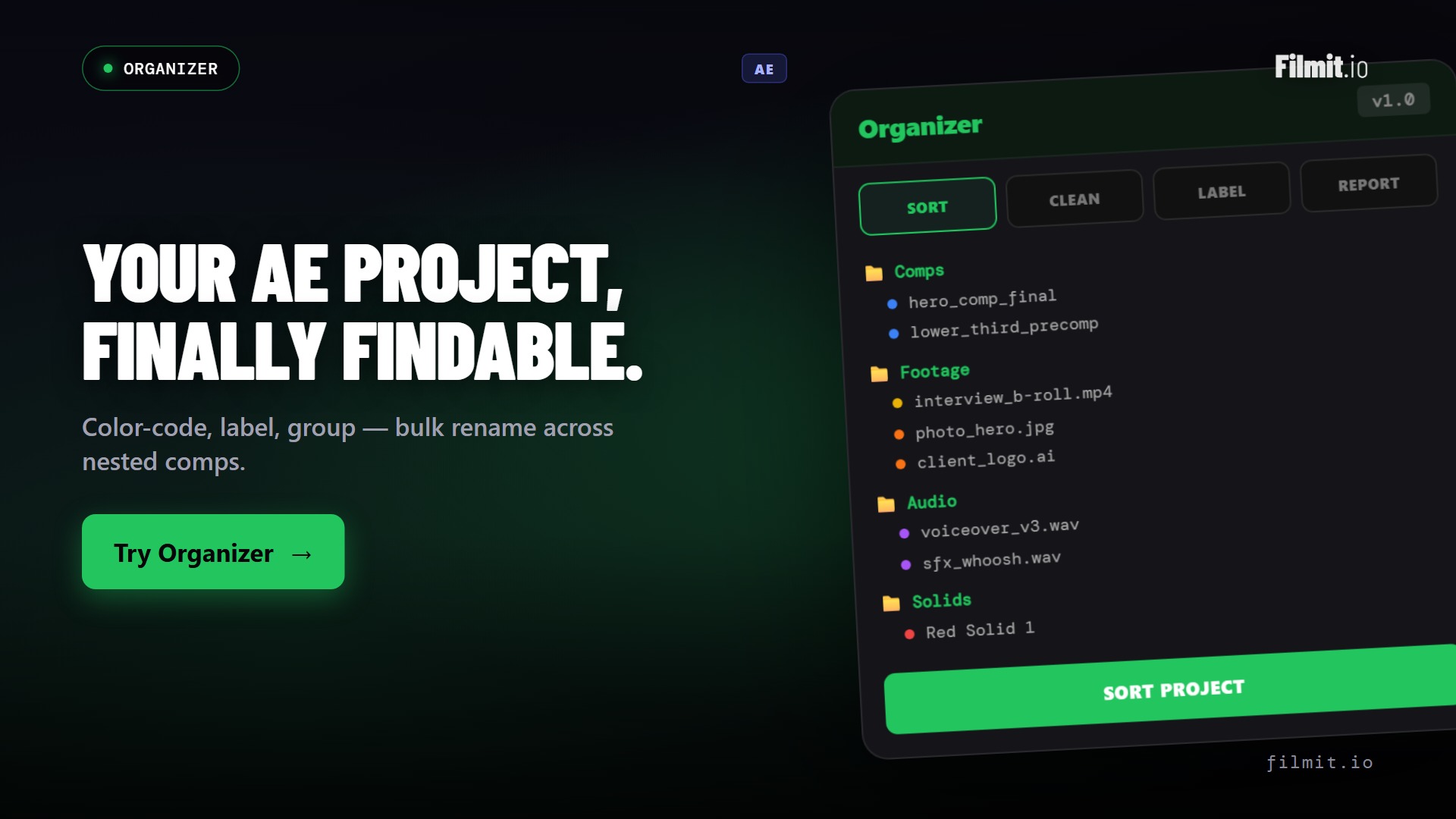
A project panel that tidies itself
Bins full of loose clips and mystery sequences slow every edit down. Organizer scaffolds a clean structure, renames and sorts in bulk, and finds the duplicates and dead items so your Premiere project stays searchable.
- One-click bin and folder structure for every project
- Bulk rename, sort, and label to your convention
- Find duplicates and dead items to keep it lean
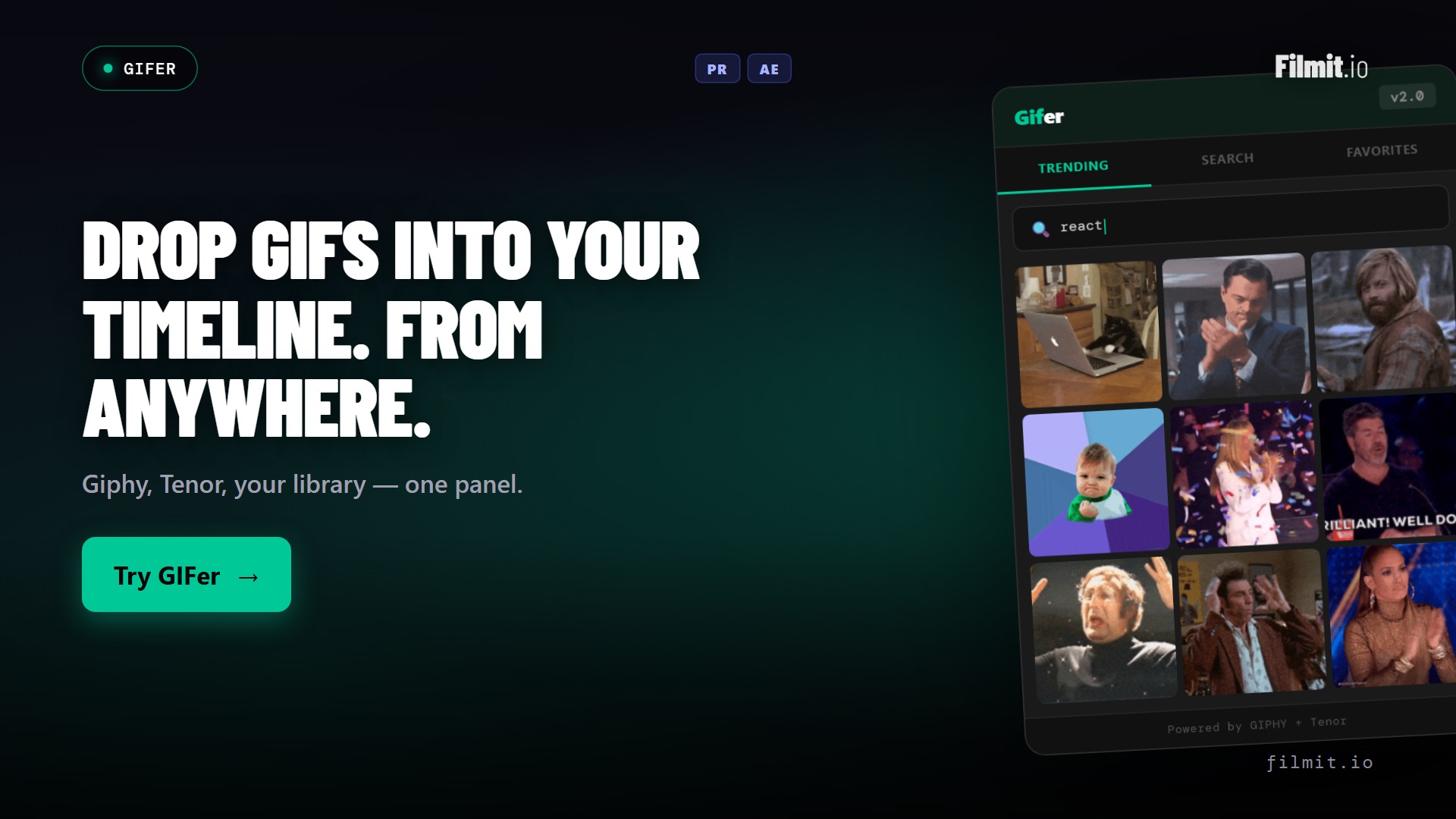
GIFer Premiere Pro · Ae · Resolve
Reaction GIFs are the fun part. Keep it that way.
Search Giphy from inside Premiere and drag the perfect reaction straight onto the timeline as clean, ready-to-use footage. No browser tab, no download folder, no hunting for the right frame. Just the joke, landed.
- Browse and search Giphy in-panel
- Drop GIFs onto the timeline as clean clips
- Perfect for YouTube edits, socials, and punchlines
Sourcer Premiere Pro · Ae · Resolve
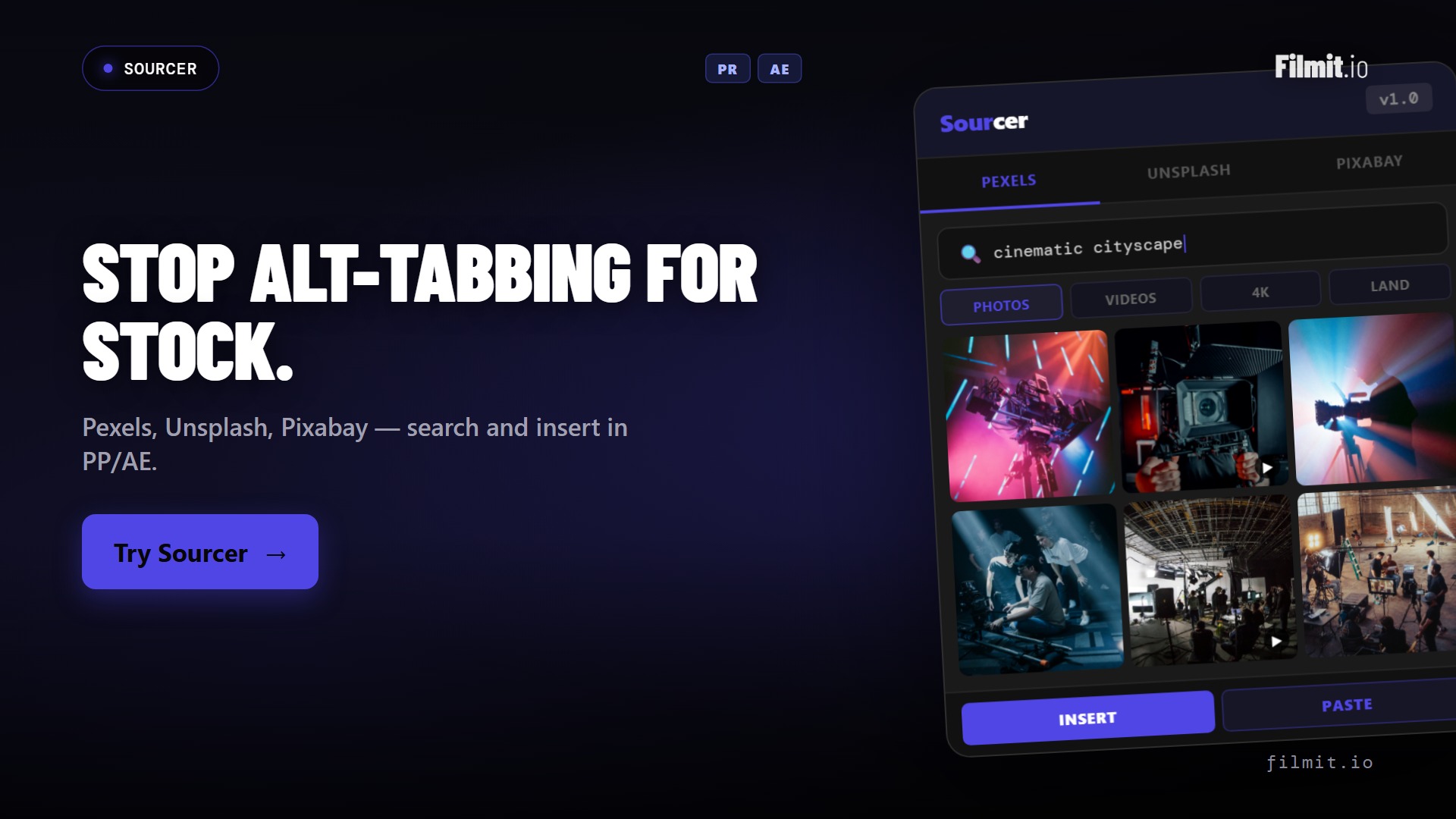
B-roll and stock, without leaving the timeline
Browse and import stock footage and photos from Pexels, Unsplash, and Pixabay right inside Premiere. Find the cutaway, preview it, and pull it into the project without a single browser detour.
- Search Pexels, Unsplash, and Pixabay from one panel
- Preview and import footage and photos into your project
- Stay in the edit instead of drowning in download folders
Where each tool fits
Your Premiere toolkit, by job
Every one of these runs natively in Premiere Pro. Each owns a specific part of the edit.
| Tool | The job it does | Reach for it when | Also in |
|---|---|---|---|
| RoughCut | Turns transcribed footage into an editable story sequence | You're staring at hours of interviews | Resolve |
| JumpCut | Auto-removes silence, breaths, and dead air | A take is buried under pauses and umms | Resolve |
| TextPilot | Batch edits and translates text across the project | Dozens of titles or a translation pass | Ae |
| Organizer | Scaffolds project structure and finds duplicates | A project is a mess or a new one starts | Ae |
| GIFer | Searches Giphy in-panel, drops clean clips on the timeline | You need a reaction GIF or cutaway | AeResolve |
| Sourcer | Imports stock footage and photos from within the app | You want B-roll from Pexels or Unsplash | AeResolve |
| ToolKit | Everyday editing utilities in one panel | You want the small daily tools handy | Ae |
Beyond the panels
Native effects and transitions, right in Premiere
Your subscription also unlocks a growing library of 45+ native GPU effects and transitions that drop straight onto a Premiere clip, no panel to open. And the library keeps growing, because we build from real feedback. Message us anytime on Discord or through our contact form, tell us what you need, and we will literally build it.
By the numbers
One subscription, the whole Premiere toolkit
No per-plugin pricing, no marketplace. Everything below is included the moment you subscribe.
FAQ
Premiere Pro questions
What editors want to know before wiring Filmit into Premiere.
The tools run in current Adobe Premiere Pro on both Mac and Windows, installed as native panels. If you're on a recent Creative Cloud release, you're covered. Each tool page lists any specific requirements.
Filmit Studio, our desktop app, installs and updates every panel for you. Open Studio, click install, and the tools appear under your Premiere Pro window menu. No manual ZXP files, no CEP debugging.
No. RoughCut, JumpCut, TextPilot, Organizer, GIFer, Sourcer, and ToolKit all run in Premiere Pro on their own. Some also work in After Effects and DaVinci Resolve if you use those, but Premiere alone is all you need. (Reducer is After Effects only for now, with Premiere support coming soon.)
No. RoughCut has a free path with a built-in token that runs on free ChatGPT or Claude. Add your own Anthropic or OpenAI key only if you'd rather have one-click analysis. Transcription always happens locally on your machine.
No. One subscription at $20/month, or $16/month billed yearly, unlocks every plugin, effect, transition, and course, plus every tool we ship in the future.
Yes to both. Every subscription starts with a 7-day free trial, and there's no contract, so you can cancel anytime.
Load up Premiere Pro. Cut faster.
Studio desktop app. Every Premiere tool, effect, and transition. $20/month, cancel anytime.