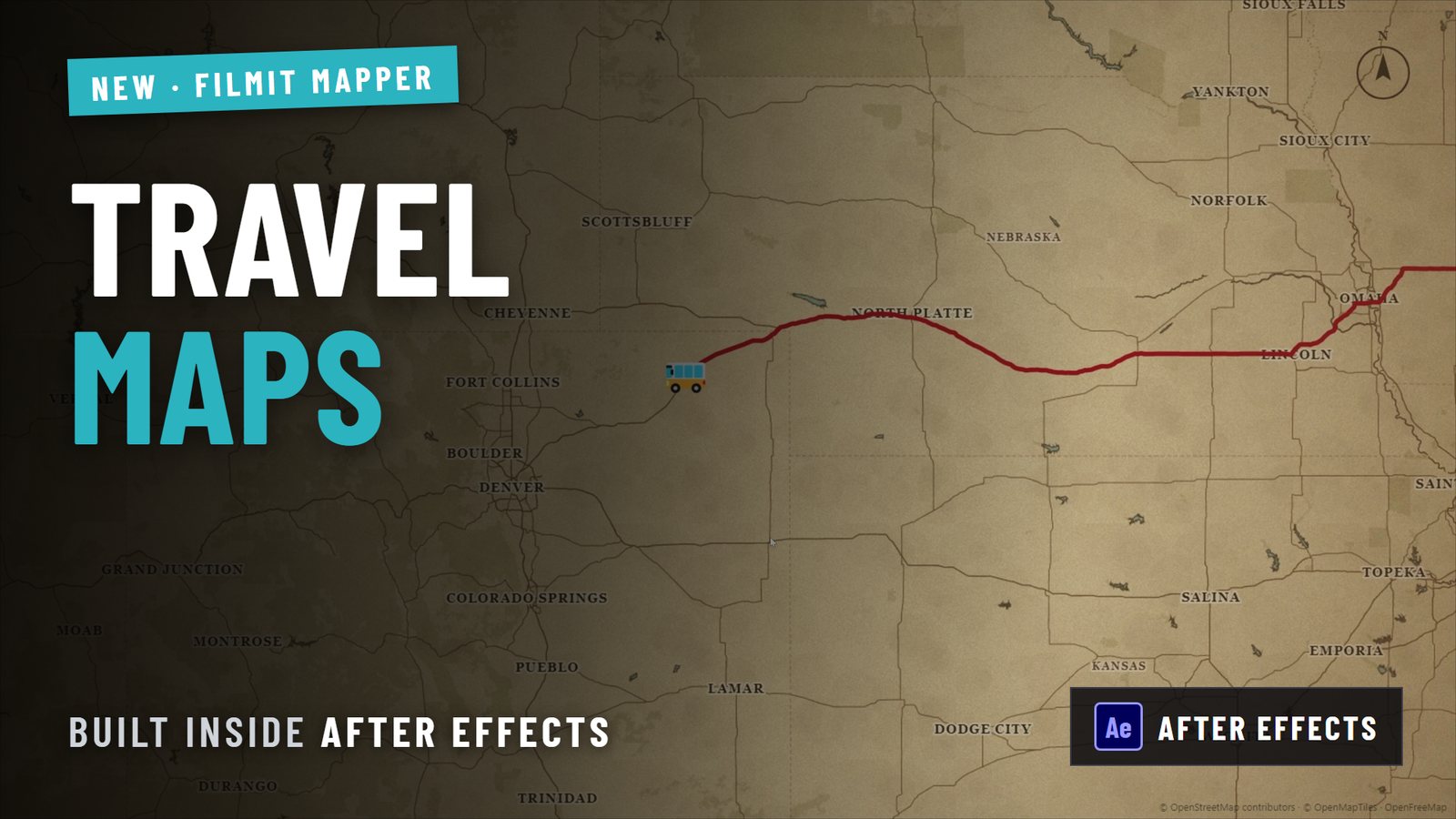
A vintage travel map animation is three layers of work on top of each other: a map that looks like old paper, a route that draws itself on in a dashed line, and a camera that travels with it. In After Effects you build it from an aged map layer, a shape layer route animated with Trim Paths, and a null that moves the whole map so the camera follows the route.
Below is how to build that look by hand, step by step, then how Mapper builds the same kind of shot from a list of real places, as in the video.
What makes a map look vintage
It is mostly colour and texture. Warm, paper-coloured land, muted blue-green water, brown roads, and one strong red route in travel dashes. Then grain, a soft vignette, maybe a compass, and a serif title. Get those right and almost any map reads as an old explorer’s chart.
The native way in After Effects
Start with a map you can use
Use a map whose licence allows it, and credit it. OpenStreetMap data, for example, is open and credited as OpenStreetMap contributors. Import it at a size well beyond your frame so the camera has room to move.
Age the paper
Warm it with Tint, Tritone or Curves. Add a solid with Fractal Noise set to Multiply for a paper texture, Add Grain or Noise for film grain, and a black solid with a feathered ellipse mask for the vignette.
Draw the route
On a new shape layer, trace the route with the Pen tool. Give the stroke Dashes in the Stroke settings, then choose Add, Trim Paths and keyframe End from 0% to 100%.
Add a vehicle
Copy the route path, paste it into the Position of a small car or plane layer, and use Layer, Transform, Auto-Orient, Orient Along Path so it faces the way it travels.
Move the camera
Parent the map and route to a null, then keyframe the null’s Position and Scale so the frame follows the line. For a push-in at the end, scale the null up as the route arrives.
Title it
A serif text layer with a slow fade or a typewriter animation finishes the look.
The catch is the route. Following real roads means tracing them by hand, and when the client adds a stop in the middle, the Trim Paths timing, the vehicle’s path and the camera moves all need redoing. Our guide to making an animated travel map in After Effects covers the general build in more detail.
The faster way, with Mapper
Mapper builds the whole animation inside your editor from your real stops. These are the steps in the video:
Search your next stop
Planning a road trip? Search your next stop and the route follows real streets.
Pick the Expedition style
Want a different look? Pick from fourteen map styles, like the vintage Expedition: old paper with travel dashes.
Restyle the line
Make the route your own: switch the line to dots, then add a soft glow.
Add a title
Need a title? Switch it on, type it in, and it sits right on the map.
Play the preview
Hit play and the car drives the whole route while the camera follows.
Go vertical
Posting to socials? Switch the format to vertical, and the map reframes for it.
Build it
Love it? One click builds it as a native comp in After Effects, or renders it to your Premiere Pro timeline.
In After Effects the route is a shape layer, the markers, labels and title are real layers, and line width and route colour stay live on a Mapper Controls layer. Add a stop and build again.
Tips for the vintage look
Grain, a vignette and a compass do a lot of the vintage work. A live coordinates readout or distance counter can ride along with the trip.
A short pause at every stop gives each place a beat, and gives you room for a cutaway in the edit.
Drive to the airport, then fly: a flight leg draws an arcing path, which reads beautifully on an old-paper map.
Tuned Expedition the way you like it? Save it to My styles and reuse it on every map.
Map data comes from OpenStreetMap, and Mapper adds a small map credit in the corner by default.
Or ask Claude or ChatGPT
The Filmit MCP does not plot routes, but it can finish a map comp in After Effects by asking: add a title in the font you name, put a Tritone, Fractal Noise or vignette on to age a hand-built map, switch on motion blur, or add a loop expression so a compass spins for the whole comp. Our guide to using Claude in After Effects covers the setup, and looping an animation in After Effects explains the loop.
Editing in Premiere Pro or DaVinci Resolve? See our travel map guides for Premiere Pro and DaVinci Resolve. Mapper comes with Filmit Studio, our free desktop app, with a 7-day free trial.