A motion graphics curriculum is an organized series of courses and training modules designed to equip students with the skills needed to create animated visual content using tools like Adobe After Effects, Cinema 4D, and Premiere Pro. The industry term for this field is motion design, which blends art and technology to animate visual elements that communicate ideas through movement rather than static graphics. If you are trying to figure out what to expect in motion graphics education, this guide breaks down every layer of a well-built program, from design fundamentals to showreel production.
What is a motion graphics curriculum made of?
A complete motion graphics curriculum includes four core pillars: design foundations, animation principles, software mastery, and portfolio development. Each pillar builds on the last, so skipping ahead rarely works. You need solid design instincts before animation principles click, and animation principles need to feel natural before you can work efficiently inside After Effects.
Design foundations
Design foundations cover typography, color theory, layout, and visual hierarchy. These are not warm-up topics. They are the lens through which every animation decision gets made. A title card with poor kerning or clashing colors will undercut even technically polished motion work.

Animation principles
The classic 12 principles of animation, originally developed at Disney, still anchor every serious motion design curriculum. Timing, spacing, anticipation, and follow-through are the ones you will use on every single project. Understanding keyframe behavior in After Effects is where these principles go from theory to practice.
Software mastery and technical skills
Technical training centers on the Adobe Creative Cloud suite, with After Effects as the primary tool. You will also work inside Premiere Pro, Photoshop, and Illustrator. Many programs introduce Cinema 4D for 3D motion work, and some include Blender as a free alternative.
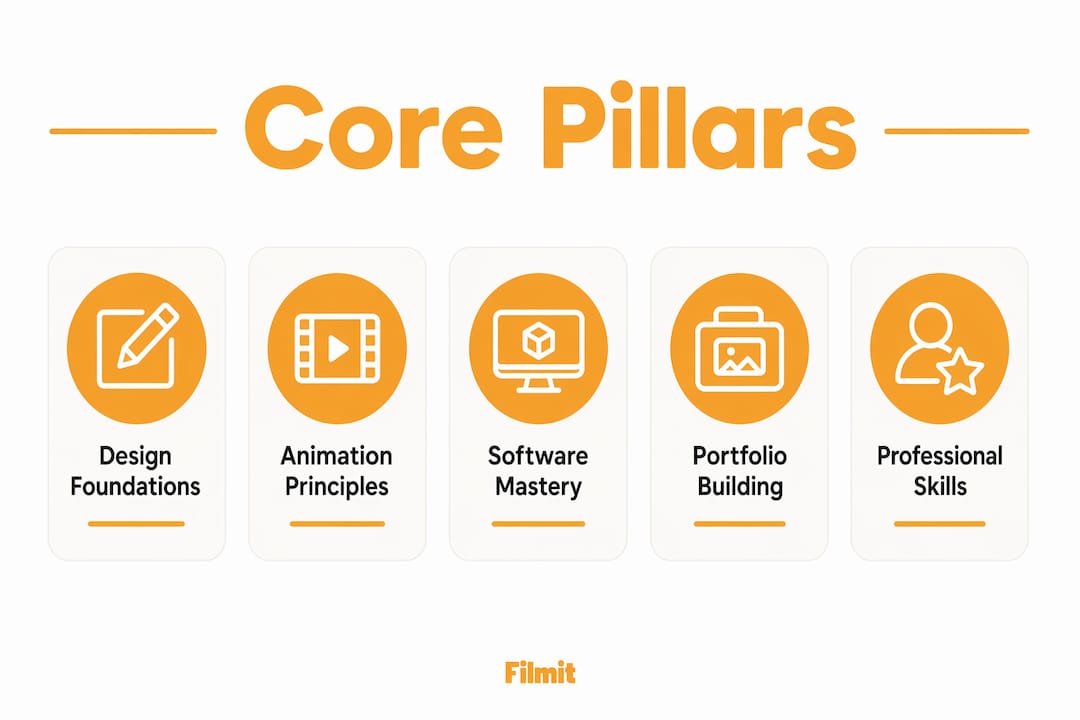
Portfolio and showreel development
Portfolio work is not an afterthought. It is a graded component in most programs. Students build toward a professional showreel that demonstrates real creative and technical range.
- Design fundamentals: typography, layout, color theory, and visual hierarchy
- Animation principles: timing, spacing, anticipation, follow-through, and rhythm
- Software skills: After Effects, Premiere Pro, Photoshop, Illustrator, Cinema 4D
- 3D basics: Cinema 4D or Blender for dimensional motion work
- Portfolio output: 2 to 3 polished capstone projects and a professional showreel
- Business skills: project costing, documentation, and asset archive management
Pro Tip: Do not treat Illustrator and Photoshop as separate disciplines. The real skill is learning to pipe assets from both directly into After Effects, treating Adobe Creative Cloud as one connected production studio rather than a set of isolated tools.
How do course structures and durations vary?
Motion graphics training programs range from intensive short courses to multi-year degree programs. The right structure depends on your current skill level, your timeline, and whether you want a broad creative education or focused technical training.
Certificate programs often last 6 months, delivering an intensive, integrated learning experience. Diploma programs can run up to 2 years, giving students more time to develop a deeper portfolio and explore specializations like broadcast design or UI animation. That difference in duration is not just about pacing. Longer programs typically include business skills, internship components, and more complex capstone projects.
6 months
Career changers, focused skill-building
1 to 2 years
Broader creative and technical depth
3 to 4 years
Full design education with theory
4 to 12 weeks
Specific software or technique training
8 to 16 weeks
Fast entry into professional workflows
Beginner-level programs focus on design principles and basic After Effects. Intermediate programs introduce 3D tools, advanced compositing, and motion typography. Advanced tracks cover production pipelines, client workflows, and broadcast standards. Project-based programs are generally more effective than lecture-heavy ones because motion design is a craft. You learn it by doing it, not by watching it.
Which software tools does a motion graphics syllabus cover?
The software stack in a motion design curriculum is built around Adobe Creative Cloud, with After Effects at the center. After Effects handles keyframe animation, compositing, visual effects, and motion typography. Premiere Pro handles editing and final output. Photoshop and Illustrator supply the static assets that feed into motion projects.
Most programs also introduce Cinema 4D for 3D motion graphics, particularly for broadcast and title design work. Blender appears in more curricula each year as a free, capable alternative. The key skill is not just knowing each tool in isolation. Integrating static assets from Illustrator and Photoshop into After Effects is where real production efficiency comes from.
- Adobe After Effects: Keyframe animation, compositing, motion typography, visual effects
- Adobe Premiere Pro: Editing, color, and final delivery
- Adobe Illustrator and Photoshop: Static asset creation for motion pipelines
- Cinema 4D: 3D modeling, rendering, and motion graphics for broadcast
- Blender: Open-source 3D animation and compositing
- Midjourney and DALL·E: Rapid concept development and storyboarding
Generative AI tools like Midjourney and DALL·E are now standard in modern motion graphics curricula for rapid concept development and storyboarding. That shift matters because it changes how much time you spend on ideation versus execution. You can explore a dozen visual directions in an afternoon instead of a week. The generative AI workflow in Premiere Pro is one example of how these tools are moving from experimental to everyday.
Professional efficiency also means knowing how to use After Effects plugins and scripts to automate repetitive tasks like easing, layer management, and grid generation. This skill is often skipped in basic curricula, but it is what separates a student workflow from a studio workflow. A good After Effects plugin guide will show you exactly where automation saves the most time.
Pro Tip: Master file naming conventions and render queue management early. These are the skills that professional production pipelines depend on, and they are almost never taught in beginner courses. Bad organization will cost you hours on every project.
How should students build a portfolio during their training?
Your portfolio is the single most important output of your motion graphics education. Employers and clients do not read transcripts. They watch your showreel. Every project you complete during training should be treated as a potential portfolio piece.
Most programs expect students to complete 2 to 3 polished capstone projects that demonstrate both technical skill and creative thinking. These projects typically combine design assets, motion, and sound into a finished piece. That combination matters because it shows you can work across the full production chain, not just animate shapes.
Start with a concept, not the software
Storyboard your idea before opening After Effects, even roughly. Motion that looks good but says nothing will not impress anyone.
Combine design, motion, and sound
Bring design assets, animation, and sound together in every major project. A showreel piece with no audio feels unfinished to any professional viewer.
Keep each piece under 30 seconds
Tight, confident work reads better than long pieces that lose momentum halfway through.
Show range across projects
Across your 2 to 3 projects, vary the work: one kinetic typography piece, one logo reveal, one short explainer. Variety signals versatility.
Get feedback before you finish
Show each piece to working designers, not just classmates. Fresh eyes catch timing and pacing problems you have stopped seeing.
The showreel itself should run no longer than 60 to 90 seconds total. Lead with your strongest work. The first 10 seconds determine whether a creative director keeps watching. Text animation techniques are a reliable way to open a reel because they demonstrate both design sensibility and technical control at the same time.
Key Takeaways
A motion graphics curriculum builds professional motion design skills through four pillars: design foundations, animation principles, software mastery, and portfolio development.
Every strong curriculum covers design, animation, software, and portfolio work in sequence.
Certificate programs run 6 months; diploma programs extend to 2 years for deeper training.
After Effects leads, supported by Premiere Pro, Illustrator, Cinema 4D, and generative AI tools.
Students produce 2 to 3 capstone projects and a 60 to 90 second showreel as primary deliverables.
Project costing, documentation, and asset management separate professionals from hobbyists.
What actually separates students from professionals
The pattern we see again and again is that the gap between a good student and a hireable designer is almost never creativity. It is production discipline. Genuinely talented designers lose freelance work because their file organization is a mess, their render settings are wrong, or they cannot quote a project. Business and media-operations skills are what separate professional studios from hobbyists, and most curricula treat them as optional extras. They are not.
The other thing worth pushing back on is the idea that you should learn every tool before you start making real work. The people who grow fastest pick one strong project idea and build it from scratch, figuring out the tools as they go. After Effects rewards curiosity. The more you poke at it, the faster it reveals itself.
Generative AI is genuinely useful here, but not as a replacement for design thinking. Use Midjourney to explore visual directions quickly, use DALL·E to rough out storyboard frames, then make the actual motion work yourself. The practical question is not AI versus craft, it is where AI saves you time without replacing the part that makes the work yours.
Finally, motion design is visual communication, which means every animation choice should serve a purpose. Movement that guides the viewer's eye is doing its job. Movement that just looks cool is decoration. The best curricula teach you to tell the difference, and the best designers never stop asking which one they are making.
From a student workflow to a studio workflow
One thread worth pulling out of all of this: the gap between a capable student and a hireable professional is mostly production speed, not creativity, and a lot of that speed comes from automating the repetitive work this guide keeps circling back to. That is the gap our After Effects and Premiere Pro plugins are built to close, with ProXimity for animation and easing, Organizer for project and layer management, and GridMaker for grids and layout, so the mechanical parts take seconds instead of minutes. They install through Filmit Studio, our free companion app for Windows and macOS, and if you are building a program rather than a single reel, Filmit for education brings the same tools into the classroom. None of it replaces the fundamentals this guide covers, it just removes the friction once you have them.