🎥
YouTube Storytelling
Drop text-conversation cutaways into storytime videos, drama recaps and commentary. The chat unfolds on screen in real time.
Realistic chat conversations for After Effects and Premiere Pro.
Build text-message conversations on the fly. No templates. Type your script, hit Generate, and ChitChat builds the entire animated conversation: a native, fully-layered comp in After Effects, or a rendered clip on your Premiere Pro timeline.
ChitChat comes with Filmit Studio, along with our whole suite of plugins, effects, transitions, overlays, and courses, plus everything new we ship. It's all included!
Watch the Demo
A full walkthrough, from a plain-text script to a fully animated, layered After Effects comp.
A conversation typed in, a phone style picked, and the animation rendered to the DaVinci Resolve timeline, with or without a background.
Demo coming soon
This one is live in the app today. We are recording its demo now.

New in 1.3.0
You build the conversation and pick a style exactly as you would in After Effects. Then Render to Timeline places the finished chat at your playhead, with a transparent background if you want it to sit over your footage. Animated GIFs, reactions and typing indicators all animate, and each speaker can carry their own profile photo.
Nothing changes for After Effects. It is the same panel, with a refreshed iPhone status bar and reactions fixed in the Terminal, Pager and VS Code looks.
Real screenshots, cropped, masked and arranged frame by frame. No animation, no timing control, and it reads obviously fake on screen.
Drawing message bubbles with shape layers, text layers and expressions. One conversation eats an hour, and changing a line means rebuilding it.
A locked template gives you one style and a mess of nested precomps. Want a different app, a new message, a pause? Start over.
Write the conversation as plain text — Name: message per line — and ChitChat parses it into a full comp. No template, no manual layout.
iMessage, WhatsApp, Instagram, Messenger, Android, Telegram, Snapchat, Tinder, Nokia, Discord, Slack, VS Code, Terminal, Pager, Her, Thriller, Cinematic, plus a fully custom style.
Drop *typing* and [pause 2s] into your script and ChitChat bakes animated typing bubbles and beats of silence into the timeline.
Tapback reactions, read receipts, timestamps and per-speaker names — each built as its own precomp you can restyle after generating.
Attach images, GIFs, video precomps and voice-note bubbles with waveforms. Per-speaker profile photos on both sides of the chat.
Every message is a real After Effects layer with keyframes and a center-frame auto-scroll. Nudge timing, swap fonts, restyle colors — it's your comp.
Pick from 18 pixel-matched styles. Each one nails the colors, fonts, bubble shapes and layout of the real thing. Switch style and the whole thread re-skins — non-destructive, no rebuild.
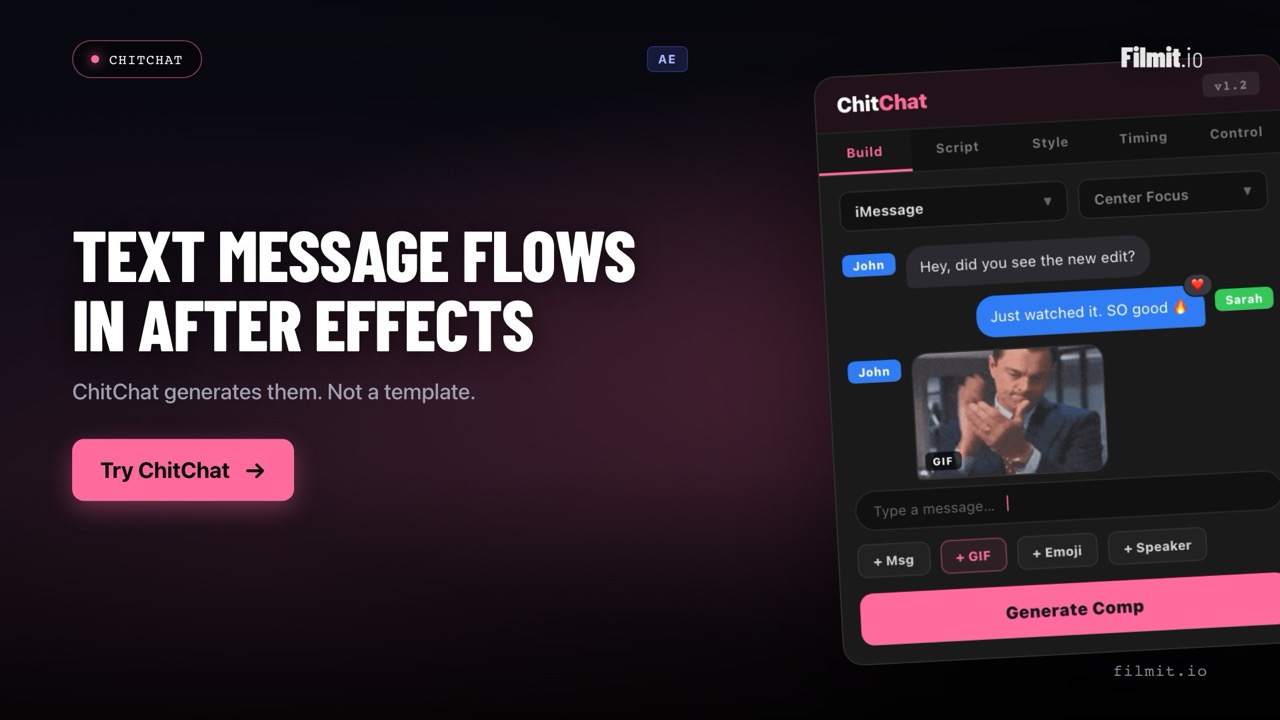
You don't have to write anything. Add messages with bubbles right in the panel — pick the speaker, drop in media, add a reaction — and watch the preview build. Prefer to type? Paste a plain-text script and ChitChat parses it. Either way, hit Generate and it rebuilds instantly.
Name: message, one line each*typing* and [pause 2s] add typing and beatsDrop text-conversation cutaways into storytime videos, drama recaps and commentary. The chat unfolds on screen in real time.
Make scroll-stopping chat clips for TikTok, Reels and Shorts. Animated message reveals keep viewers watching to the last line.
Show UX flows, demo how an app works, or build scenario-based training with realistic conversation mockups in minutes.
On-screen texting for short films and narrative pieces. Cinematic and Her styles turn a chat into part of the frame, not a UI overlay.
Install the Filmit Studio desktop app. It installs and updates ChitChat for you.
Launch After Effects or Premiere Pro. ChitChat appears under Window → Extensions. Open the panel.
Add messages with bubbles or type a script, pick a style, drop in typing and pauses.
ChitChat builds the whole comp — layered messages, typing, reactions and scroll, ready to render.
No. ChitChat is a generator. You build the conversation in the panel — add messages with bubbles, or type a plain-text script — then hit Generate and it builds the entire animated chat as a brand-new, fully-layered After Effects comp, every message its own layer with keyframes. There's no template project to open, unpick or fight with. Change the flow and regenerate as many times as you like.
18 styles: iMessage, WhatsApp, Instagram, Messenger, Android, Telegram, Snapchat, Tinder and Nokia on the phone side; Discord, Slack, VS Code, Terminal and Pager as text mediums; Her, Thriller and Cinematic for on-screen text; plus a fully custom style you can colour and font yourself. Switch style at any time and the whole conversation re-skins.
Yes, from version 1.3.0. You build the conversation and pick a style exactly as you would in After Effects, then Render to Timeline places it at your playhead, with a transparent background if you want one. Animated GIFs, reactions and typing indicators all animate, and per-speaker profile photos come across too. In After Effects you still get the fully-layered comp instead.
No. You can build the whole conversation visually — add a message bubble, pick who's speaking, drop in media or a reaction, and it appears in the preview. Scripting is just a faster option if you prefer typing: one line per message as Name: message, with *typing* for a typing bubble and [pause 2s] to hold a beat. Use whichever you like; both end at the same Generate button.
Yes — that's the point. The output is a normal After Effects comp. Every message, typing indicator and reaction is a real layer with keyframes, so you can nudge timing, swap fonts, restyle colours, add effects or drop in your own media. ChitChat gives you the whole build; you own it from there.
Yes. ChitChat is included with your Filmit Studio subscription at $20/month, along with every other Filmit tool, overlay and course. No extra cost.