Slideshow
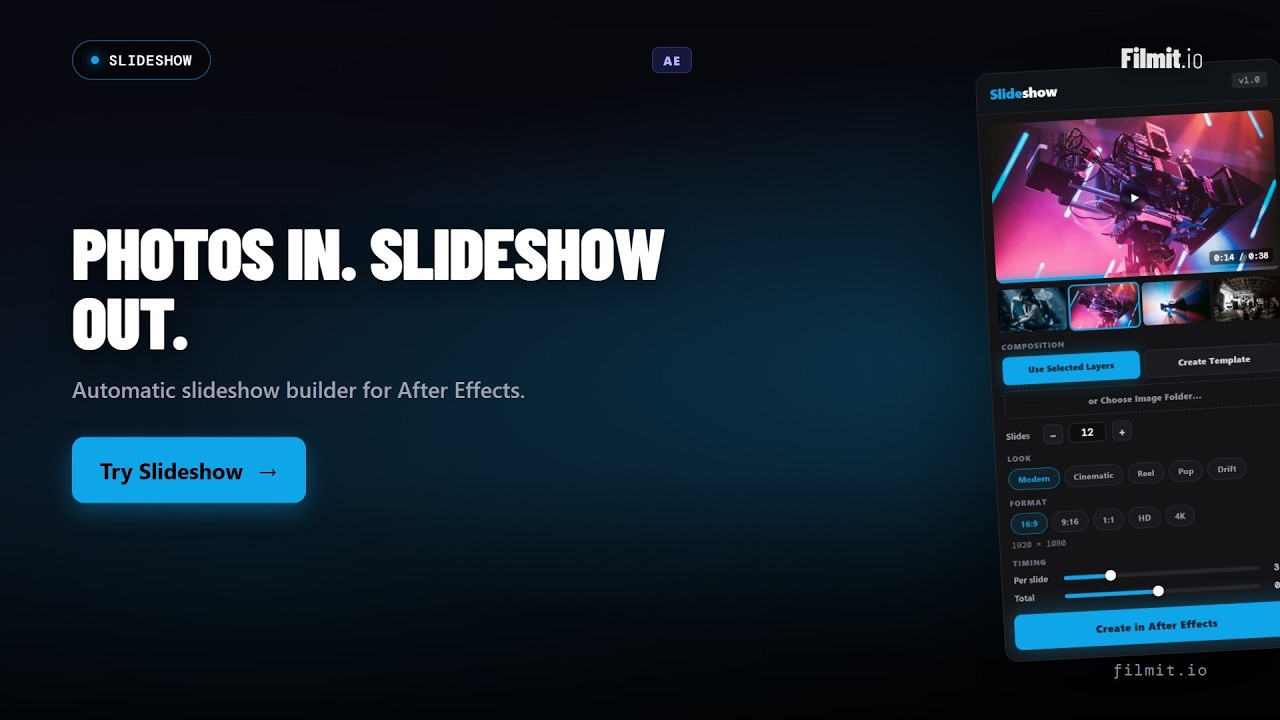
Turn photos and clips into animated slideshows in After Effects.
Slideshow comes with Filmit Studio, along with our whole suite of plugins, effects, transitions, overlays, and courses, plus everything new we ship. It's all included!
Watch the Demo
See Slideshow in Action
From a folder of photos to a finished, fully keyframed slideshow comp in After Effects.
How to get Slideshow
Three steps and you are up and running, with Slideshow and every other Filmit tool, right inside your editor today.
Create your account
Sign up free at filmit.io. No card needed to look around.
Install Filmit Studio
Download the free desktop app for Mac or Windows. It manages every tool for you.
Start your free trial
Start your 7-day trial and install Slideshow plus every other tool, straight into your editor.
Placing Photos One by One
Importing footage, dragging each clip onto the timeline, scaling it to frame, then trimming it to length. Multiply that by every slide and a simple slideshow eats an afternoon.
Hand-Keyframing Every Move
Setting zoom and pan keyframes on each photo, then building a transition between each pair, is repetitive and easy to get inconsistent. One template change means redoing it all.
Reformatting for Each Platform
The horizontal cut is done, now you need a vertical one and a square one. Rebuilding the whole comp for every aspect ratio doubles and triples the work.
Eight Motion Templates
Start from Classic, Modern, Energetic, Cinematic, Reel, Pop, Bounce, or Drift. Each one sets the pacing, motion, and transition feel so you get a polished look in a click.
Ken Burns Motion
Add Ken Burns style zoom and pan to every slide, with an adjustable amount so you can keep it subtle or push it cinematic. The drift gives still photos real life.
Transitions and Easing
Cut, cross dissolve, slide, zoom punch, blur dissolve, and wipe mattes (left, right, up, down). Ease each one with smooth, ease in, ease out, overshoot, bounce, or elastic curves.
Any Ratio, Any Resolution
Build in 16:9, 9:16, 1:1, 2.39:1, 4:5, or 2:1, at 720p, HD 1080p, or 4K. Or build straight into your active comp and match its settings exactly.
Per-Slide and Total Timing
Dial in how long each slide holds and how long the whole sequence runs. Set the rhythm of the piece without touching a single keyframe by hand.
Fit Options and Keyframed Output
Choose fill frame, fit frame, or no scaling per image, then build a fully keyframed comp with every slide pre-comped. The live preview matches the rendered result.
Classic
Clean crossfades with gentle drift.
Modern
Crisp slides and tight pacing.
Energetic
Fast cuts with punchy motion.
Cinematic
Slow holds and wide easing.
Reel
Vertical-friendly, snappy beats.
Pop
Bright zoom punches between slides.
Bounce
Springy, overshooting transitions.
Drift
Soft, floating Ken Burns motion.
The full walkthrough, start to finish
Watch the complete build: install Slideshow, point it at a folder of photos and clips (or your selected layers), pick a look, dial in timing, and create a fully keyframed comp you can keep editing. Two more deep-dive demos are coming soon.
Motion and transitions
Add Ken Burns zoom and pan with an adjustable amount, then choose how slides hand off, from cross dissolve to zoom punch to wipe mattes, and ease each one with curves like overshoot, bounce, or elastic.
Any aspect ratio, any platform
Switch between 16:9, 9:16, 1:1, and more, at up to 4K, or build straight into your active comp. Reformatting for a vertical cut or a square post is a new build, not a manual rebuild.
Download Filmit Studio
Install the Filmit Studio desktop app. It manages and updates all your plugins for you.
Open After Effects
Launch AE. Slideshow appears under Window → Extensions. Open the panel.
Choose Your Source
Use selected layers, create a template, or choose an image folder. Pick a format and a look.
Create
Build a new comp or apply to your selection. Every slide is pre-comped and fully keyframed.
Three things. Point Slideshow at a folder of photos and video clips, pick a template and a slide count, or use the layers you have already selected in your comp. From selected layers it matches the active comp's size and frame rate, so it slots right into what you are building.
Yes. Slideshow works with video clips as well as photos, and you can mix both in the same sequence. Supported image formats are JPEG, PNG, GIF, BMP, TIFF, and WebP. Supported video formats are MP4, MOV, M4V, WebM, AVI, MKV, MPG, and MPEG. Point Choose Image Folder at a folder of either, or use your selected layers, and Slideshow builds them in the same way.
You can build in 16:9, 9:16, 1:1, 2.39:1, 4:5, or 2:1, at 720p, HD 1080p, or 4K. There is also an option to build straight into your active comp and match its settings, so reformatting for another platform is a new build, not a manual rebuild.
Yes. Slideshow outputs a real, fully keyframed composition, not a flattened render. Every slide is its own pre-comp, so you can swap a photo, retime a slide, adjust the motion, or restyle a transition by hand. What you see in the live preview is what it builds.
Cut, cross dissolve, slide (varied or directional), zoom punch, blur dissolve, and wipe mattes (left, right, up, and down). Each one can be eased with linear, smooth, ease in, ease out, overshoot, bounce, or elastic curves, and you set the timing per slide and across the whole sequence.
Yes. Slideshow is included with your Filmit Studio subscription at $20/month. You get Slideshow plus every other Filmit tool, overlay pack, and course. No extra cost.