🏆
Logo stings
Drop the logo in, let it bounce and settle with real weight, bake, done. A finished sting before the old way found its first curve.
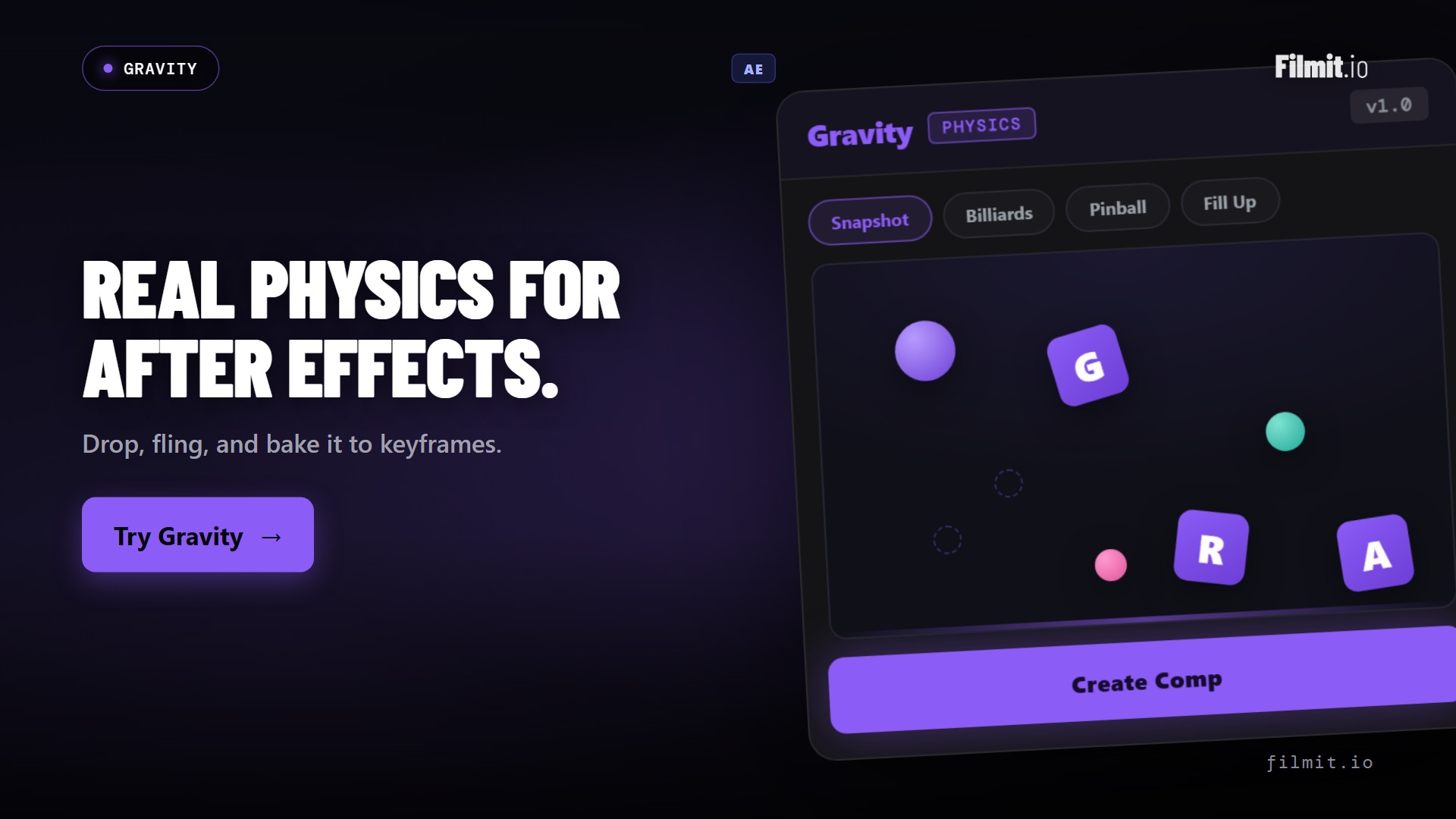
Snapshot your comp into a live physics sandbox. Drop your layers, fling them, spin them, blow them up, then bake the exact run you watched into clean, editable keyframes. No expressions, no guesswork, just play until it looks right.
Gravity comes with Filmit Studio, along with our whole suite of plugins, effects, transitions, overlays, and courses, plus everything new we ship. It's all included!
Watch the Demo
From a static comp to bouncing, colliding, keyframed motion in one sitting.
Three steps and you are up and running, with Gravity and every other Filmit tool, right inside your editor today.
Sign up free at filmit.io. No card needed to look around.
Download the free desktop app for Mac or Windows. It manages every tool for you.
Start your 7-day trial and install Gravity plus every other tool, straight into your editor.
Eyeballing arcs in the graph editor, nudging easy-ease handles, scrubbing, adjusting, scrubbing again. An afternoon later the ball still lands wrong.
Copy-pasted bounce expressions with twelve magic numbers, broken parenting, and no way to art-direct the result once it's running.
Physics tools that re-run differently every render, or live in a black box you can't tweak. If you can't lock the take you liked, it's a slot machine.
One click pulls your comp's layers into the sandbox as physical objects. Make any layer dynamic, static, or hands-off, then let them fall, stack, and collide.
Earth, Moon, Jupiter, Zero-G, and stylized presets, plus per-object gravity so one layer floats while the rest crash. Add wind for drift and scatter.
Every wall can be off, solid, or bouncy, with the bounce strength on a live slider. Sticky floors catch, rubber walls launch, and you feel the change instantly.
Fling objects by hand, slingshot them across frame, pin motors that never stop spinning, chain bodies together with ropes, and place bombs with fuses for timed chaos.
Blow a title apart into letters or words that tumble with real weight. The fastest way to a text smash that actually feels physical.
A library of starting setups, fills, bubble pits, bounce chambers, pinball-style boards, plus a builder with balls, boxes, planks, and ropes. Save your own setups and reuse them.
Apply writes the exact run you watched into Position and Rotation keyframes on your actual layers. No expressions, no plugin needed for playback, fully editable afterward.
Bake every frame for perfect fidelity, or switch on simplified keyframes for a lighter, hand-editable curve. Motion blur toggle included.
Everything lands in one undo group, shuffle re-rolls a scene in one click, and your comp is never touched until you choose to bake.
Most physics tools re-simulate when you render, and the take changes. Gravity records the run you watched, and Apply writes that exact motion to your layers as ordinary keyframes. If the ball clipped the corner just so, that's what you get.
And because the output is plain keyframes, everything in After Effects still works: trim them, retime them, stack effects on top, or hand the project to someone who has never heard of Gravity.
Your comp stays untouched until you bake, and one undo removes the whole bake if you change your mind.
Drop the logo in, let it bounce and settle with real weight, bake, done. A finished sting before the old way found its first curve.
Explode a headline into letters that scatter and tumble. Instant impact for promos, trailers, and hype edits.
Emojis raining, stickers piling up, elements bonking off the frame. The playful physics look, without faking it.
Blocks that stack, icons that drop into place, elements that collide and settle. Physical motion makes dry content watchable.
Pinball boards, bounce chambers, spinning paddles, and motors. Build a little machine and let it run.
Elements that land with a satisfying settle instead of a linear slide. Small physics, big polish.
Pull your comp's layers into the sandbox, or start from a ready-made scene.
Pick your gravity, set the walls, choose what's dynamic and what stays put.
Fling, slingshot, spin, chain, and explode until the take feels right. Shuffle for a new roll.
Apply writes that exact run to your layers as clean, editable keyframes. One undo group.
Neither. The result of a bake is ordinary Position and Rotation keyframes on your own layers. The project renders anywhere, opens for anyone, and stays fully editable, with or without Gravity installed.
Exactly. Gravity records the run you watched and bakes that recording, it never re-simulates behind your back. The take you approved is the take on your timeline, frame for frame.
Yes. It's plain keyframes, so everything you already know applies: trim, retime, offset, ease, or delete sections. There's also a simplified-keyframes option that bakes a lighter curve made for hand-editing.
Real 2D rigid-body motion: gravity presets and per-object gravity, collisions between your layers, bouncy and sticky walls, wind, hand-flinging and slingshots, motors that keep spinning, ropes and chains, timed bombs, object emitters, and text that explodes into letters or words.
Yes. The sandbox works on a snapshot, so nothing in your comp changes while you play. Your layers are only touched when you click Apply, the whole bake lands in a single undo group, and one Ctrl+Z removes it.
After Effects, on Mac and Windows, as a native panel. It's built for AE's comp-and-keyframe workflow.
Yes. Gravity is included with your Filmit Studio subscription at $20/month, along with every other Filmit tool, overlay, and course. Try it with a 7-day free trial.