🎥
Dokumentar- & Markenfilme
Story-getriebene Filme in Minuten zusammengestellt, sodass du deine Zeit damit verbringst, die Erzählung zu formen, statt Material zu protokollieren.
Verwandle Stunden von Interview-Material in einen echten, editierbaren Rohschnitt. RoughCut transkribiert jede Quelle auf deinem eigenen Rechner, eine KI wählt die stärksten Zitate aus und ordnet sie zu einer Story, und es baut eine lebendige Multi-Source-Sequenz, in Premiere Pro oder DaVinci Resolve, die du weiter bearbeiten kannst.
Demo ansehen
Eine komplette Anleitung, von rohen Interviews bis zum fertigen Multi-Source-Schnitt.
Von rohen Interviews zur fertig zusammengestellten Timeline, direkt in DaVinci Resolve.

Drei Schritte, und du bist startklar, mit RoughCut und jedem anderen Filmit-Tool, noch heute direkt in deinem Editor.
Kostenlos registrieren auf filmit.io. Keine Karte erforderlich, um sich umzuschauen.
Lade die kostenlose Desktop-App für Mac oder Windows herunter. Sie verwaltet alle Tools für dich.
Starte deine 7-tägige Testphase und installiere RoughCut sowie jedes andere Tool direkt in deinen Editor.
Stundenlanges Material bei 2-facher Geschwindigkeit durchscrubben, Soundbites in ein Dokument protokollieren, ein Transkript von Hand erstellen. Tage der Arbeit, bevor auch nur ein einziger Clip auf der Timeline landet.
Die beste Zeile ist auf Cam B, die Reaktion auf Cam A, die Antwort in einem zweiten Interview. Sie über Quellen hinweg zu finden und zusammenzubringen, ist ein Gedächtnisspiel.
Selects auf eine Timeline ziehen, Winkel synchronisieren, Lücken schließen, Schnitt für Schnitt. Stunden mechanischer Arbeit, die nicht der eigentliche Schnitt ist, sondern nur die Vorbereitung dafür.
RoughCut transkribiert mit Whisper direkt auf deinem Rechner. Nichts wird hochgeladen, es gibt keine Gebühren pro Minute, und für die reine Transkription ist kein Konto nötig. Dein Filmmaterial verlässt niemals deinen Computer.
Gib ihm ein Briefing, ein Genre, einen Ton und eine Ziellänge. Die KI liest jedes Zitat, bewertet sie und ordnet die stärksten zu einem Spannungsbogen, vom Hook bis zum Schluss. Lass mehrere KIs laufen und vergleiche ihre Schnitte nebeneinander.
RoughCut baut Multicam- und Multi-Interview-Timelines neu auf: jeder Winkel auf einer eigenen Spur, alle Audiokanäle erhalten, bildgenaue Platzierung, keine Ein-Bild-Lücken zwischen Schnitten.
Eine Analyse erzeugt einen Hauptschnitt, straffere Kurzfassungen und einen ganzen Stapel vertikaler Shorts. Jeder entsteht als eigene Sequenz, ordentlich in Bins organisiert.
Jeder Soundbite, getaggt und durchsuchbar über alle deine Quellen hinweg. Baue Schnitte von Hand, setze ein einzelnes Zitat an der Abspielposition auf deine Timeline oder sammle alle deine Selects in einer Sequenz.
RoughCut baut echte Subclips, die du kürzen kannst und verlängern, indem du die Enden bis zum Rest der Quelle herausziehst. Es ist ein Rohschnitt, den du weiter bearbeitest, kein fest gerendertes Ergebnis.
Ein Klick erstellt eine Excel-Arbeitsmappe, ein Blatt pro Schnitt, gegliedert mit laufendem Timecode, plus deiner gesamten Zitat-Bibliothek. Gib sie einem Kunden oder Produzenten zur Freigabe, bevor du renderst.
Nutze den kostenlosen Export-und-Einfügen-Ablauf mit ChatGPT oder Claude und zahle nichts, oder hinterlege deinen eigenen API-Schlüssel für eine Ein-Klick-Analyse. So oder so läuft nichts über uns.
RoughCut läuft nativ sowohl in Adobe Premiere Pro als auch in DaVinci Resolve, auf Mac und Windows, angepasst an den Look jeder App. Gleicher Workflow, dein bevorzugtes NLE.
RoughCut erstellt aus deinem Briefing und dem timecodierten Transkript einen einfügebereiten Prompt. Wirf ihn in das kostenlose ChatGPT oder Claude, füge die Antwort zurück ins Panel ein, und RoughCut baut den Schnitt. Kein Schlüssel, keine Einrichtung, keine Kosten, und es funktioniert für immer.
Hinterlege einmal deinen Anthropic- (Claude) oder OpenAI-Schlüssel (ChatGPT), er synchronisiert sich automatisch aus Filmit Studio, und RoughCut übernimmt den gesamten Ablauf für dich: lesen, entwerfen, bauen. Du zahlst direkt an den KI-Anbieter, nur Cent-Beträge pro Schnitt, und nichts läuft je über unsere Server.
So oder so, deine Transkription ist immer lokal und privat. Die KI sieht immer nur den Transkript-Text, den du zum Senden auswählst, niemals dein Video oder Audio.
Richte RoughCut auf die Interview-Sequenzen, die bereits in deinem Projekt sind. Es exportiert das Audio, führt Whisper auf deinem eigenen Rechner aus und liefert saubere, timecodierte Transkripte zurück, das Rohmaterial für alles, was folgt.
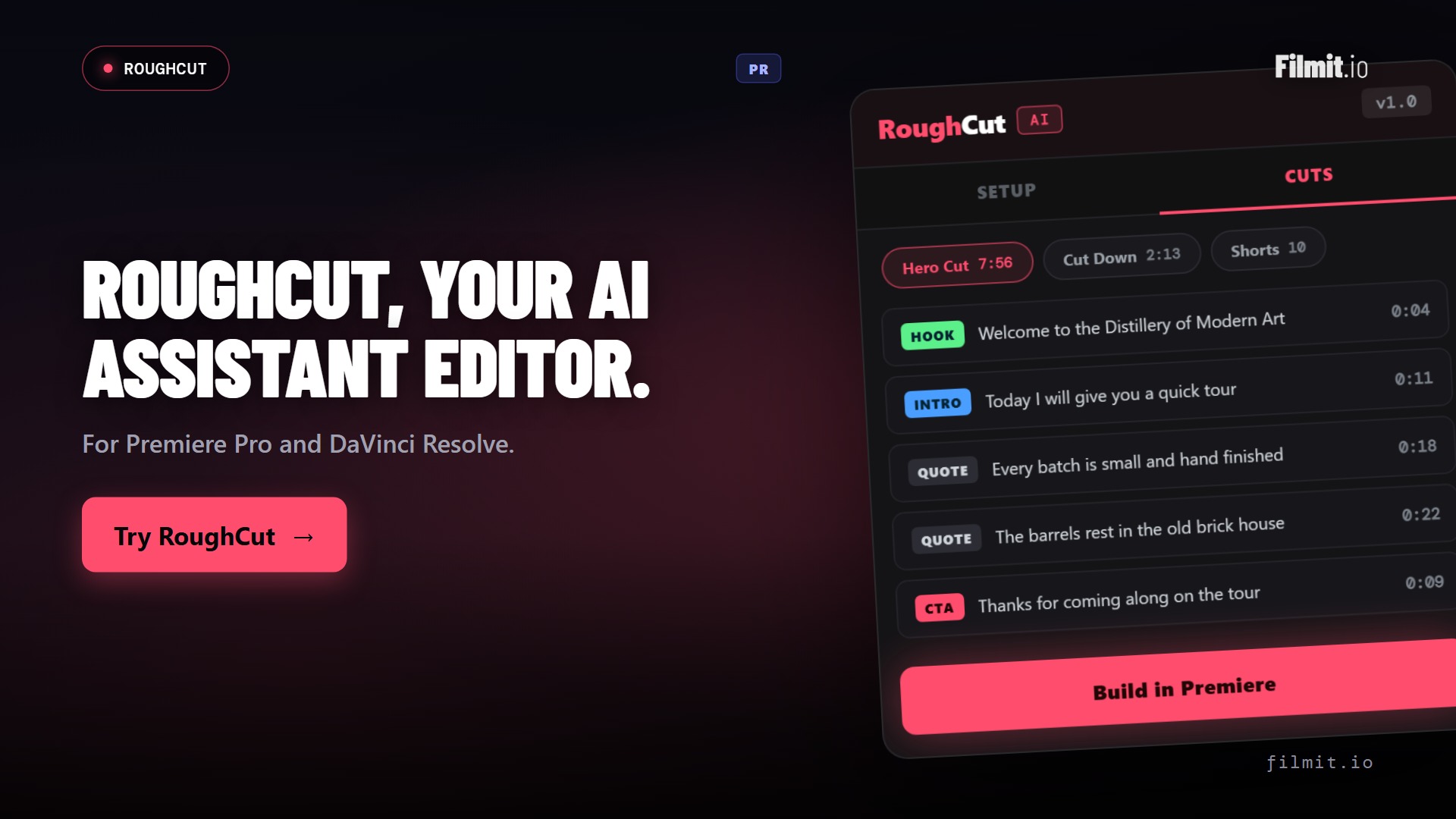
Sag RoughCut Genre, Ton und Ziellänge. Die KI liest jedes Zitat, bewertet sie und legt einen Spannungsbogen an, Hook, Thema, B-Roll-Voiceover, Schluss, auf einem Board, das du kontrollierst. Ordne neu, parke, benenne Abschnitte um oder füge Zeilen hinzu. Es ist dein Schnitt.
Bestätige das Board, und RoughCut baut eine lebendige Sequenz in Premiere Pro oder DaVinci Resolve: jede Quelle auf eigenen Spuren, jedes Audio erhalten, jeder Clip bildgenau und nahtlos aneinandergefügt. Dann schneidest du weiter, kürzt, verlängerst die Enden, ordnest neu, verknüpfst neu, wie bei jeder Timeline, die du selbst gebaut hast.
Exportiere jedes RoughCut-Projekt in eine Excel-Arbeitsmappe, und jedes Lieferergebnis wird zu einem eigenen Tab: der Hauptschnitt, jeder Shorts-Stapel und deine gesamte Zitat-Bibliothek, alles nach Abschnitt gruppiert mit laufendem Timecode und Länge.
Es liest sich wie ein Papierschnitt, sodass ein Kunde die Story in einer Tabelle absegnen kann, bevor du die Timeline anfasst. Lieber etwas Einfacheres? Exportiere stattdessen den aktuellen Tab als einfache CSV.
Gemacht für echte Übergaben, keine zusätzliche Software, keine Plugins, nur eine saubere Arbeitsmappe, die du per E-Mail verschicken kannst.
Story-getriebene Filme in Minuten zusammengestellt, sodass du deine Zeit damit verbringst, die Erzählung zu formen, statt Material zu protokollieren.
Multicam-Gespräche auf eigenen Spuren neu aufgebaut, bereit dafür, dass du auf denjenigen schneidest, der gerade spricht.
Stunden von Gameplay und Kommentar auf die Highlights heruntergeschnitten, direkt aus dem herausgezogen, was du ins Mikro gesagt hast.
Eheversprechen, Trinksprüche und Reden zu einer sauberen Story geformt, mit den wichtigen Momenten bereits auf der Timeline.
Verwandle ein 60-minütiges Sit-down in ein straffes Zwei-Minuten-Sizzle plus einen Stapel Shorts, in einem Durchgang.
Erstelle vertikale Kurzfassungen im Stapel aus beliebigem Material, jede als eigene Sequenz, passend für den Feed formatiert.
Wähle die Interview-Sequenzen aus deinem Premiere-Pro- oder DaVinci-Resolve-Projekt. Multicam und mehrere Interviews sind willkommen.
Ein Klick. Whisper läuft lokal, und jede Zeile wird zu einem durchsuchbaren, taggbaren Zitat.
Analysiere mit KI, deinem eigenen Schlüssel oder dem kostenlosen Copy-Paste-Weg, und feile dann am Board, bis es passt.
Erstelle echte, editierbare Sequenzen in Premiere Pro oder DaVinci Resolve: deinen Hauptschnitt, Kurzfassungen und einen Stapel Shorts, und schneide dann einfach weiter.
Nein. Der kostenlose Weg von RoughCut exportiert einen fertigen Prompt, den du in das kostenlose ChatGPT oder Claude einfügst, und dann die Antwort zurück einfügst, um deinen Schnitt zu bauen. Kein Schlüssel, keine Kosten. Hinterlege deinen eigenen Anthropic- oder OpenAI-Schlüssel nur, wenn du lieber eine Ein-Klick-Analyse möchtest, und selbst dann zahlst du direkt zum Selbstkostenpreis an den KI-Anbieter.
Nein. Die Transkription läuft lokal mit Whisper direkt auf deinem Rechner, sodass nichts hochgeladen wird. Das Einzige, was jemals an eine KI gesendet wird, ist der Transkript-Text, den du zur Analyse auswählst, und auch nur, wenn du überhaupt den KI-Story-Builder nutzt. Dein Video und Audio verlassen niemals deinen Computer.
Sowohl Adobe Premiere Pro als auch DaVinci Resolve, als natives Panel auf Mac und Windows. Es liest die Interview-Sequenzen direkt aus deinem Projekt und baut die fertigen Schnitte direkt zurück hinein, egal welchen Editor du nutzt.
Ja, das ist genau der Sinn. RoughCut baut eine echte Sequenz aus editierbaren Subclips. Du kannst sie kürzen, die Enden bis zum vollen Ausgangsmaterial verlängern, neu ordnen, neu verknüpfen oder zerschneiden, genau wie eine Timeline, die du selbst zusammengestellt hast. Nichts wird gerendert oder fest zusammengefasst.
Ja. Jede Quelle wird farblich markiert und auf eigenen Video- und Audiospuren neu aufgebaut, wobei jeder Kanal erhalten bleibt und jeder Clip bildgenau platziert wird. Ob Zwei-Kamera-Podcast oder mehrere separate Interviews, RoughCut baut die echte Multi-Winkel-Timeline neu zusammen.
Ein präsentationsreifes Skript. Ein Klick erstellt eine Excel-Arbeitsmappe, in der jeder Schnitt und deine gesamte Zitat-Bibliothek zu einem eigenen Tab wird, gegliedert nach Abschnitt mit laufendem Timecode und Länge. Es liest sich wie ein Papierschnitt, sodass ein Kunde die Story in einer Tabelle freigeben kann. Du kannst den aktuellen Tab auch als einfache CSV exportieren.
Ja. RoughCut ist in deinem Filmit-Studio-Abo für $20/Monat enthalten, zusammen mit jedem anderen Filmit-Tool, Overlay und Kurs. Probiere es mit einer 7-tägigen kostenlosen Testphase.